Purpose
The purpose of this article is to provide a high level, a generalized overview of Manufacton's Production, Material and Shipping workflow. See the article on General Navigation for more information on Manufacton's user Interface. Links to deeper discussions on specific workflows and functions will be provided.
Overview
Although Manufacton is designed to manage virtually any production and material workflow that can be imagined, the general workflow is as follows:
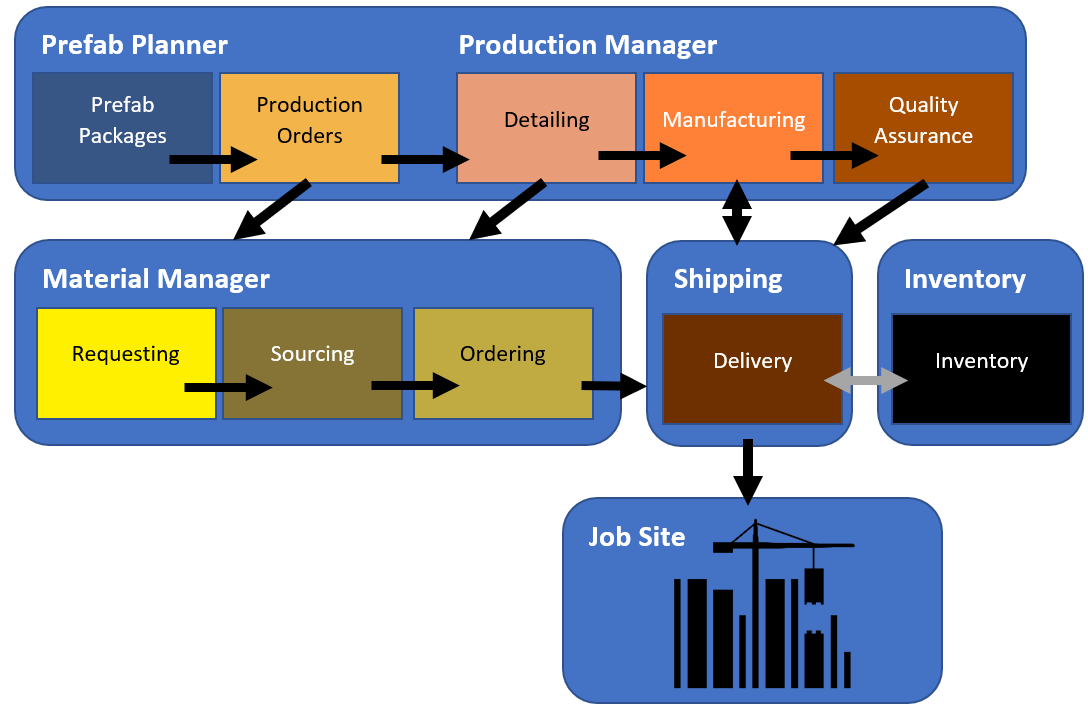
- Project Planner
- Planning Packages - Organize your Production Orders and Kits
- Coordination - Break-out your Packages into discrete Orders for processing
- Production Manager
- Detailing - Add the necessary information to the order for the shop and field to process
- Manufacturing - Build your prefab
- Quality Assurance - QA your Prefab
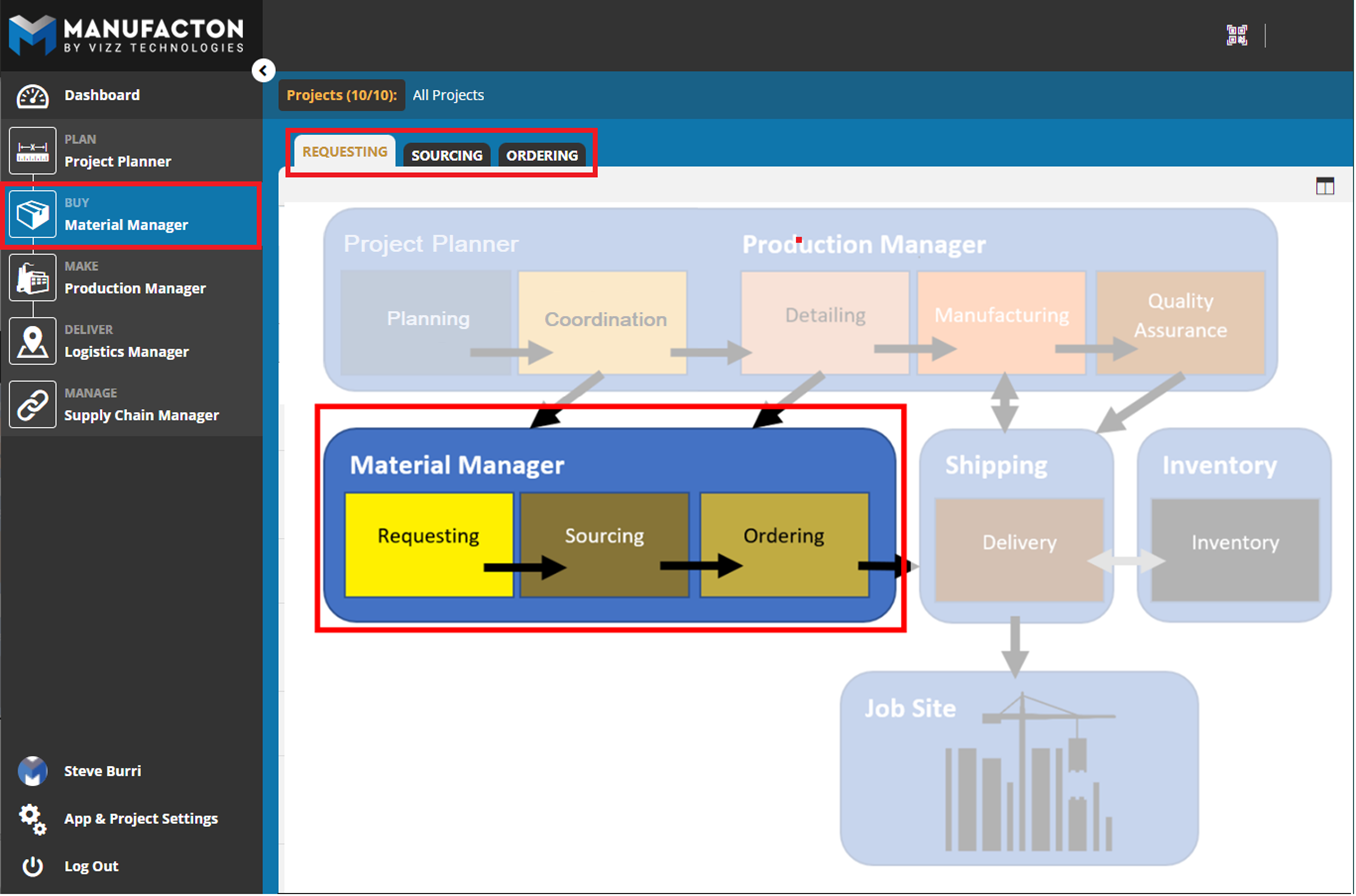
- Material Manager
- Requesting - Make a Materials wish list (manually or through automation with the Assembly/Parts Catalog)
- Sourcing - Split and Combine requests by vendor, delivery location and date
- Ordering - Track your orders from your vendors
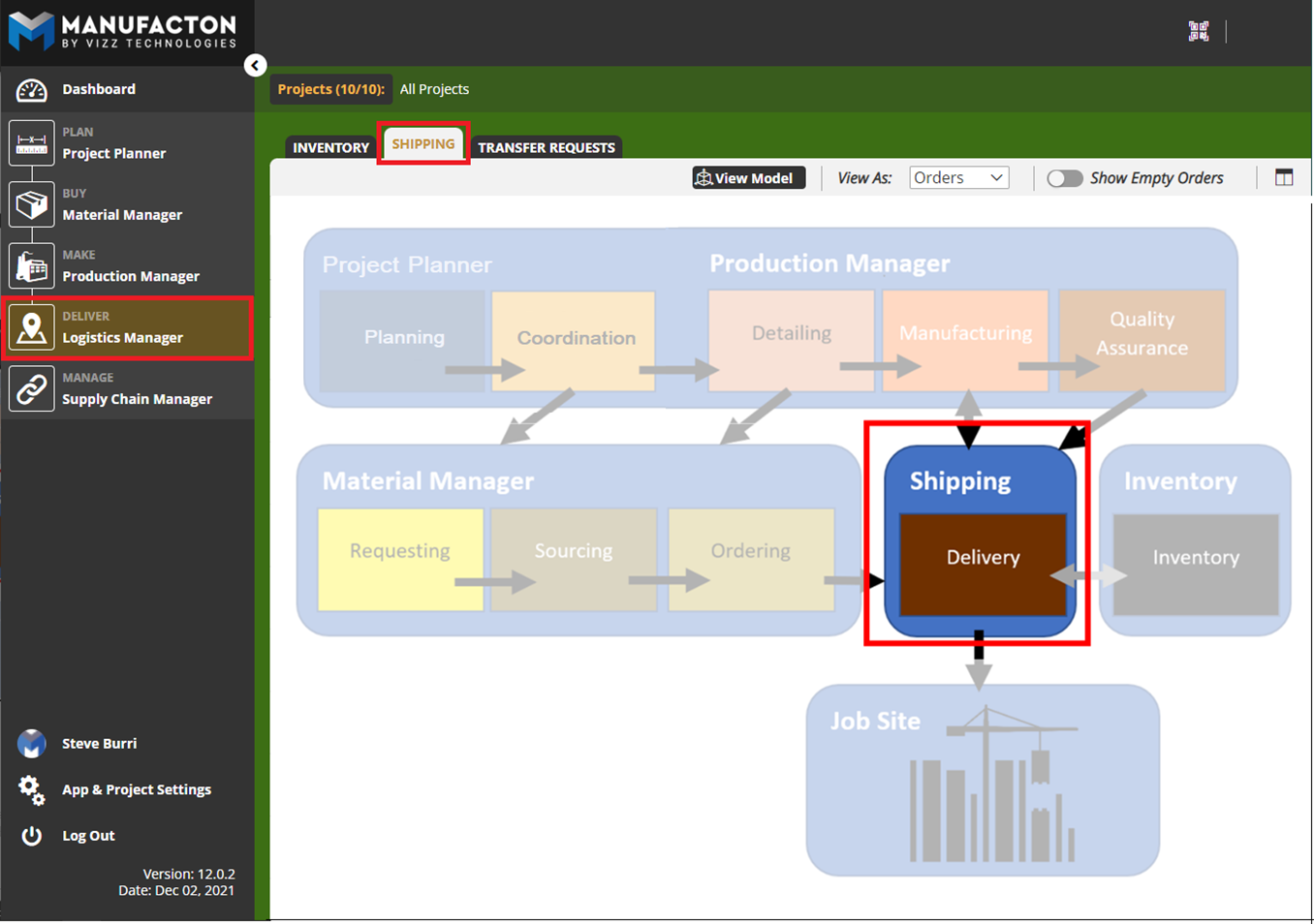
- Shipping
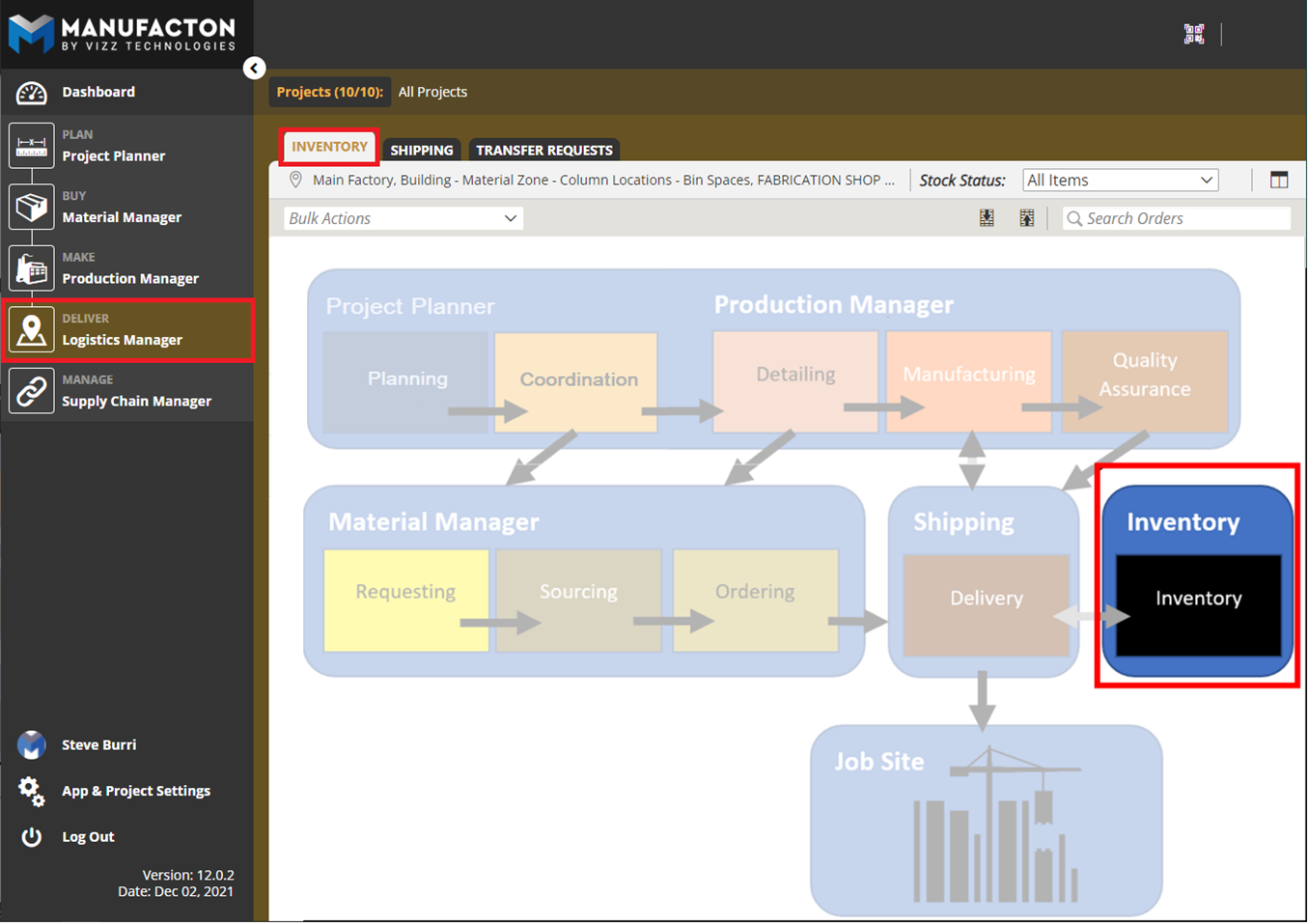
- Inventory
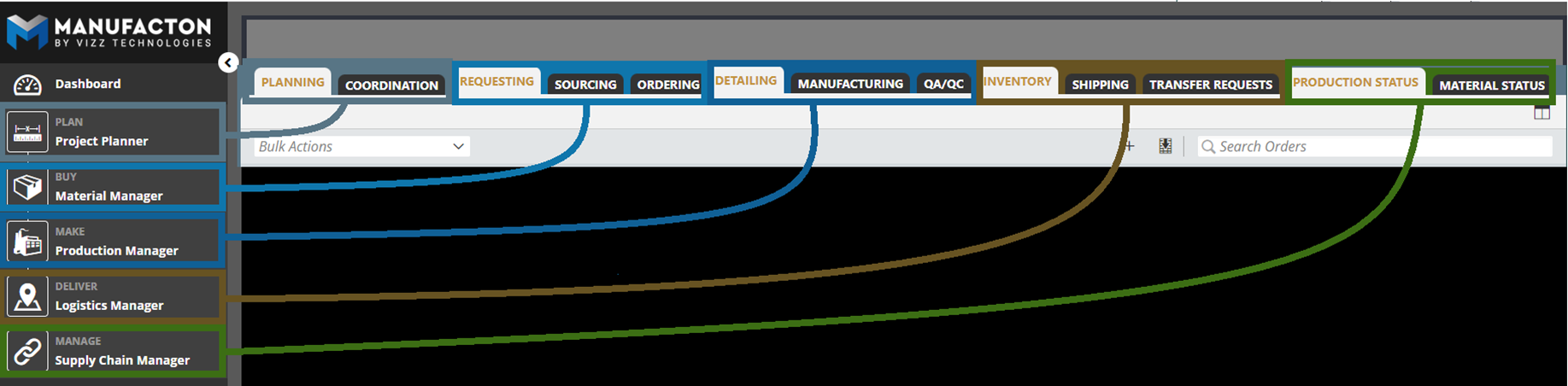
This composite image of the Modules and their corresponding tabs is provided to give additional context to how the user interface is laid-out to support the workflow:
Project Planner
The Prefab workflow generally begins with the creation of Prefab Planner packages.
Note: Production Orders can be started in other stages as well to support
      various workflows and field requests.
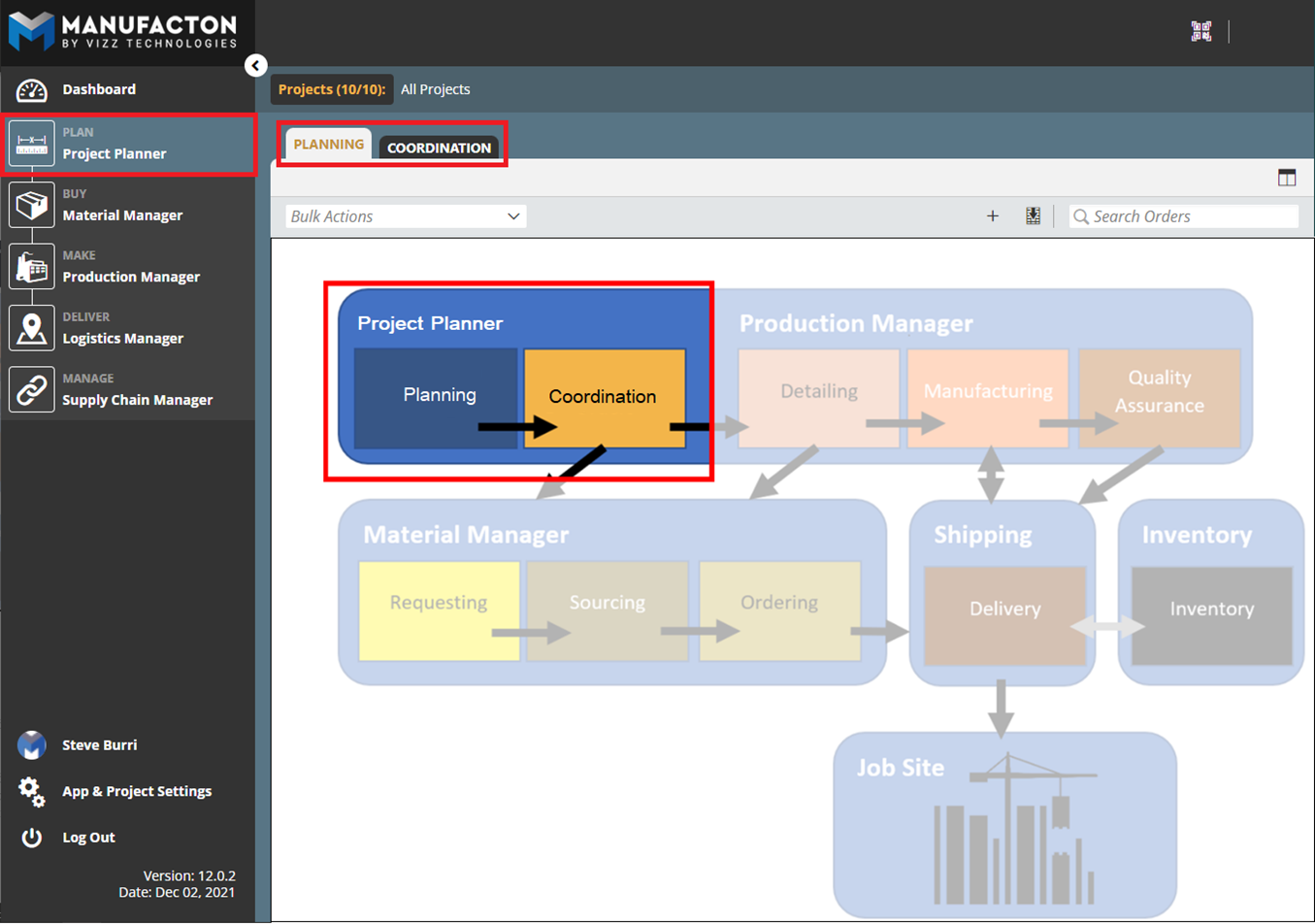
Within Manufacton, this work is completed within the Project Planner module in the Planning and Coordination tabs:
Prefab Planner Packages will “stay” in the Planning tab and will always be visible there regardless of where in the process the items from those packages have been moved. It is the items of those prefab packages that will turn into Coordination and move from stage to stage as they are progressed (“Coordination” → “Detailing” → ”Manufacturing” …)
Production Manager
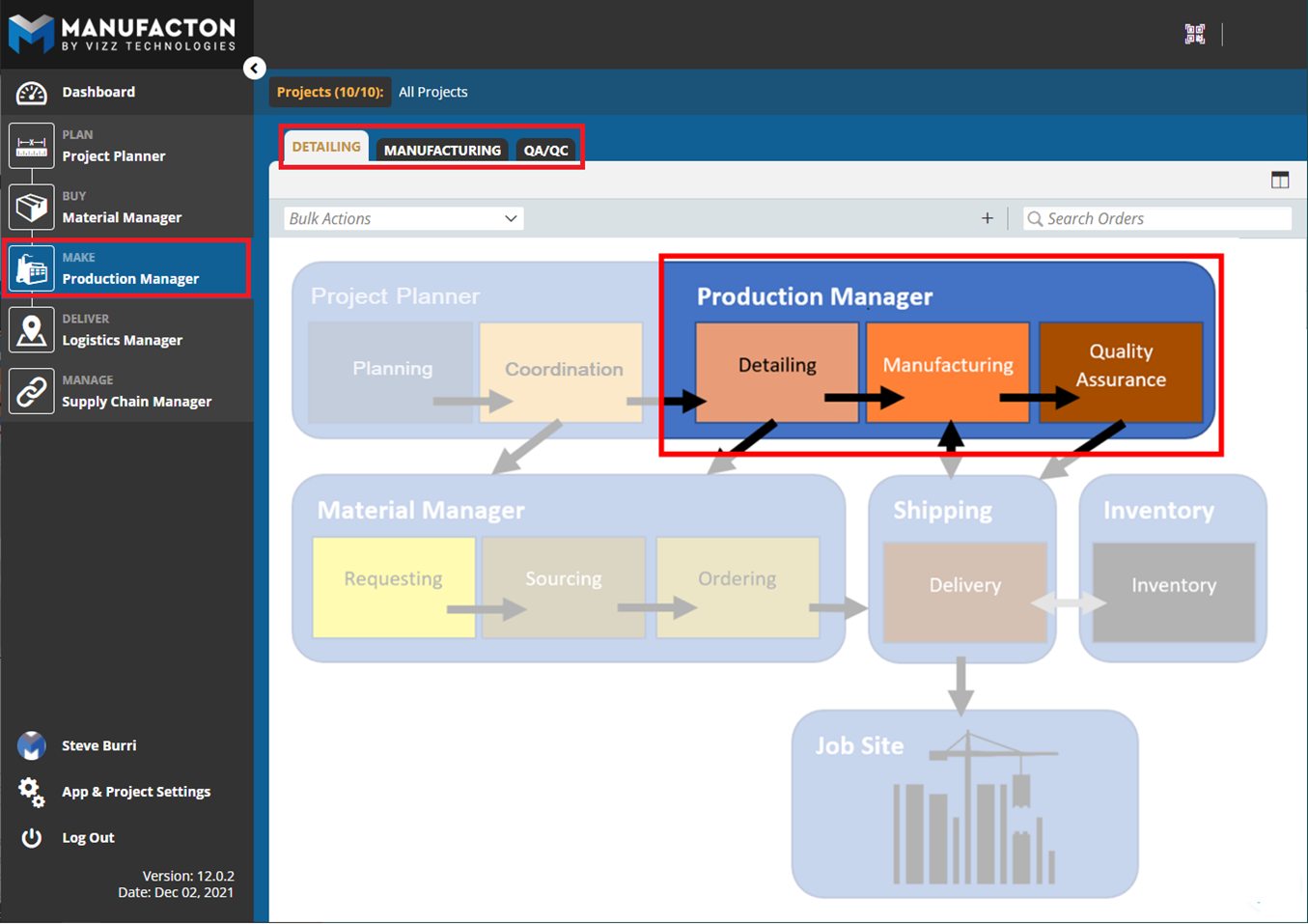
The process continues in Manufacton’s Production Manager module into where the Production Orders are moved...
- into Detailing for the shop and field content to be included, then to...
- Manufacturing where the prefab is created and productivity is tracked
- and (optionally) to a separate Quality Assurance stage for testing.
Material Manager
Either supported by the Production Process by allocating materials during the Production Management stages, or completely independent of production, materials for prefabs or for the job site are managed in the Material Manager module which has three stages:
- Requesting where “wish list” items are gathered (manually or through automation with the Assembly/Parts Catalog). Once the list is finalized it is passed on to...
- Sourcing where the purchasing/procurement teams split and combined the orders to reflect by which vendor, when and where the materials are to be delivered, at which time...
- Ordering can take place (which includes Shipping and Receiving information).
Shipping
The Shipping module and process is central to many of the other module. Shipping supports:
- Delivery of Materials directly to the job site
- Delivery of Materials into the fabrication shop for the Manufacturing Process
- Delivery of Prefabs out of the Manufacturing (and/or QA) process to the job site or into Inventory
- Delivery of Prefabs and/or Materials into and out of various Inventory locations
Inventory
The Inventory module is a repository of locations where Materials and Prefabs have been delivered. Project and non-project based (General Inventory) can be managed. Inventory supports a variety of statuses for those Materials and Prefabs:
- Consumed – for Materials which have been used to create a prefab
- Reserved – for Prefabs and Materials in holding for future shipment or consumption
- In Stock – for Prefabs and Materials available for consumption or shipment to other locations
For a quick (11:00 min) video on this topic...
Comments
0 comments
Please sign in to leave a comment.