Overview
Manufacton provides tools to ensure that the right materials are provided to your job site and to your prefab shops! A critical part of that procurement is the ability to identify which vendors will provide those materials.
Along with your Manufacton Catalog and Material Categories, the Vendor function connects material requests made in manufacton to the right vendor to assist the procurement team in their efforts to get your team's the materials they need.
When a Material Request is made and the Parts Catalog is used to populate the request, the Category of the selected parts is compared to the list of available Vendors which are associated with that category and provides the procurement team guidance as to which vendors can fulfill the request, which are preferred and even establish a default vendor.
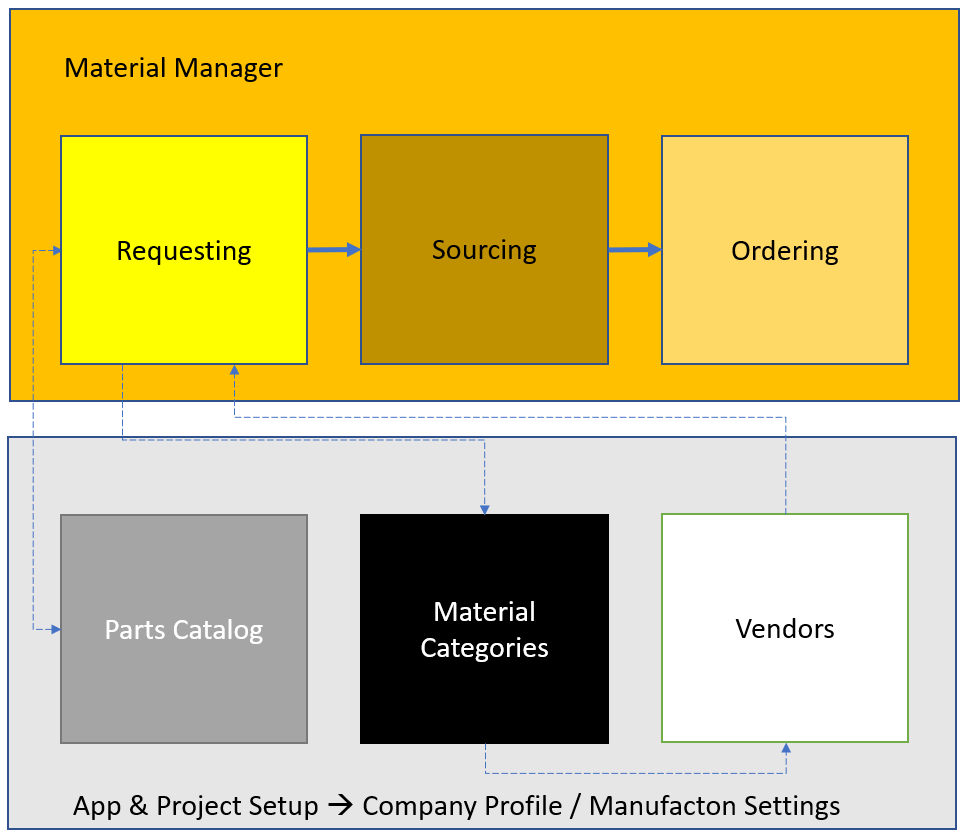
To fully utilize categories, vendors and catalog parts, they should be considered, implement and added to your system in the following order:
First - Material Categories
Second - Vendors
Third - Catalog Parts
Creating Vendors
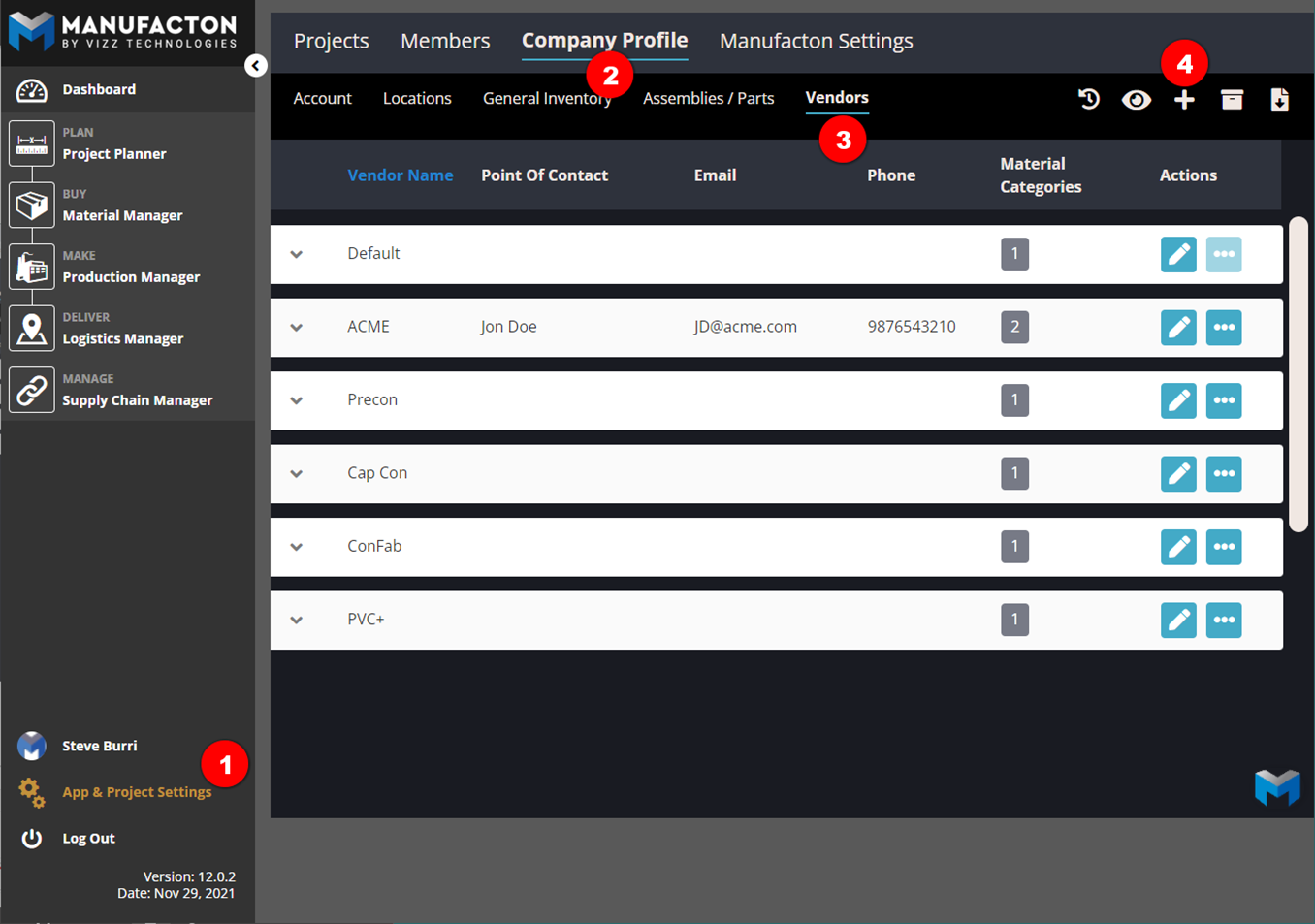
Vendors are established by Administrators from:
- App & Project Setup
- Company Profile
- Vendors
- Select the plus "+" button
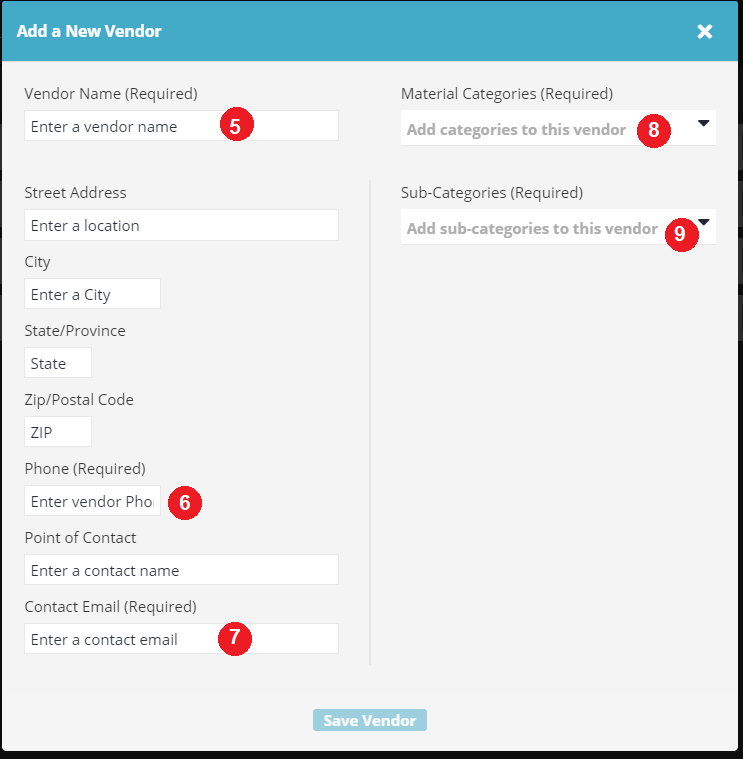
- Enter the vendor name
- Enter the Phone number
- Enter the primary contact's email address
- Select the category that the vendor serves
- Select one or more sub-categories that the vendor serves
Notes: The remaining fields in the "Add a New Vendor" dialog are optional.

       Please reference the Materials Catagory Knowledgebase article for
       establishing Material Categories for Catalog Parts and Vendors.

       Please reference the Assembly / parts Catalog Knowledgebase article for
       assigning Material Categories to Parts
How it works
Because there are several dependencies within Manufacton, prior to showing how to leverage Vendors, this section will provide a brief overview of how it works and where the interdependencies are.
Material Categories
The Material Categories are the "glue" to this process and establish the association between Catalog Parts and Part Vendors.
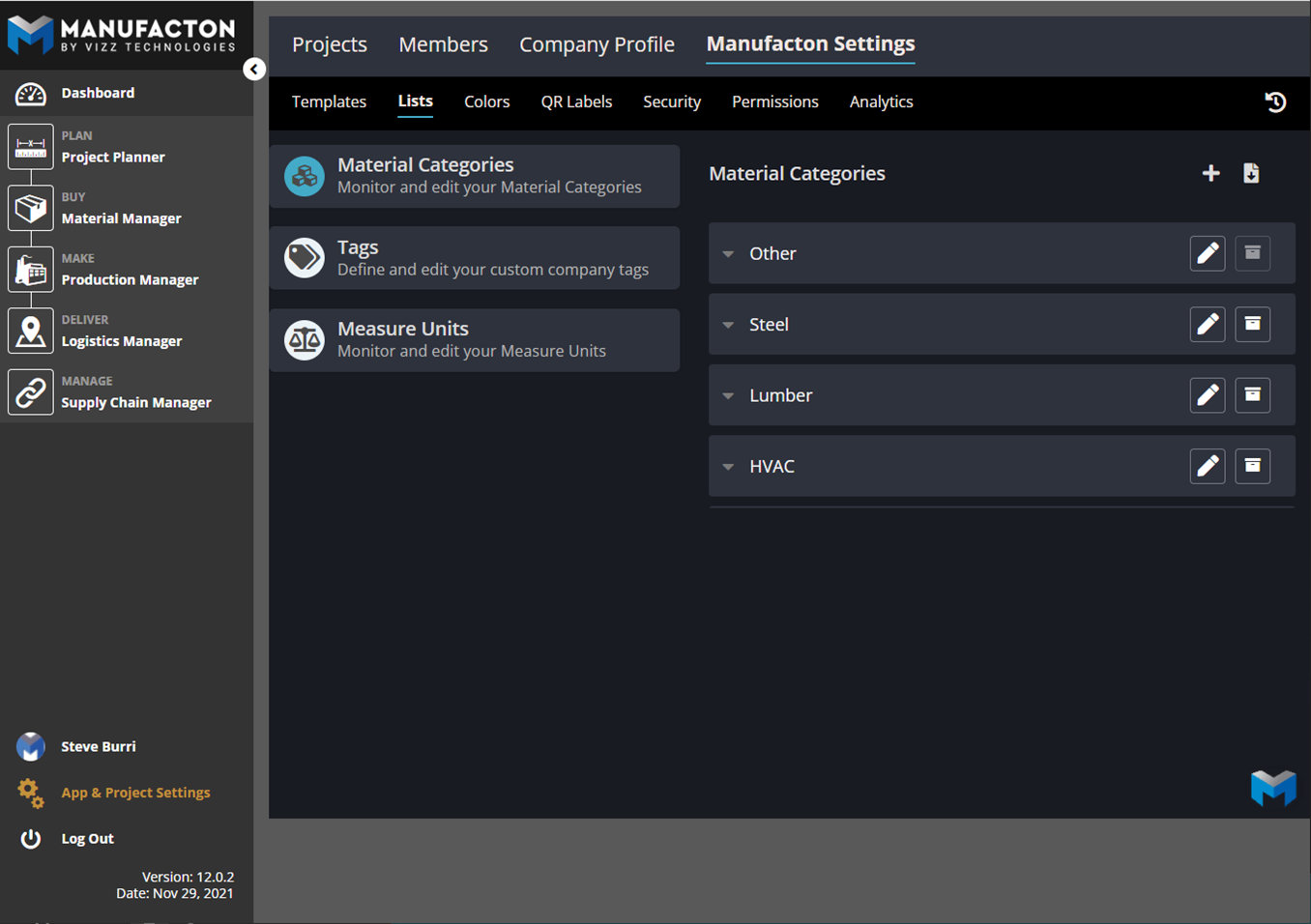
Note: Please reference the Materials Catagory Knowledgebase article for
      establishing Material Categories for Catalog Parts and Vendors.
Parts Catalog
With Material Categories established, those Categories can be applied to the various parts in the Part Catalog.
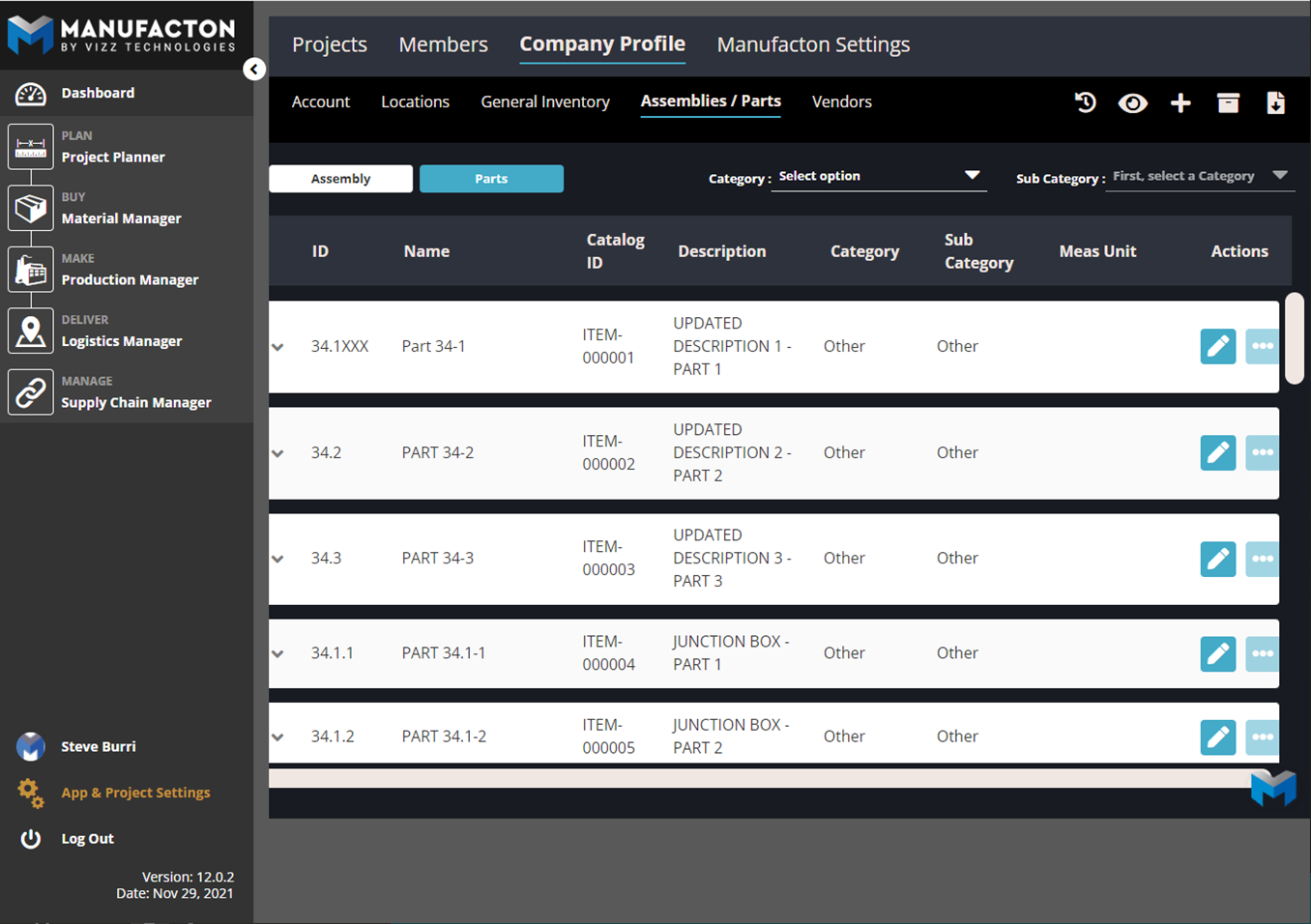
Note: Please reference the Assembly / parts Catalog Knowledgebase article for
      assigning Material Categories to Parts
Leveraging Vendors for Material Ordering
With Material Category and Part Catalog established, the system is ready to leverage those Vendors for Material Requests, Sourcing and Ordering.
Requesting Materials
- Whether via the mobile app, automated from a kit or from the Manufacton plugin for Revit, items can be added to a request from the Parts Catalog
- The parts selected, which have Categories and Sub-categories associated with them will be assigned a potential vendor (on the Details sub-tab) which provides the procurement team guidance as to which vendor(s) can best fulfill the request
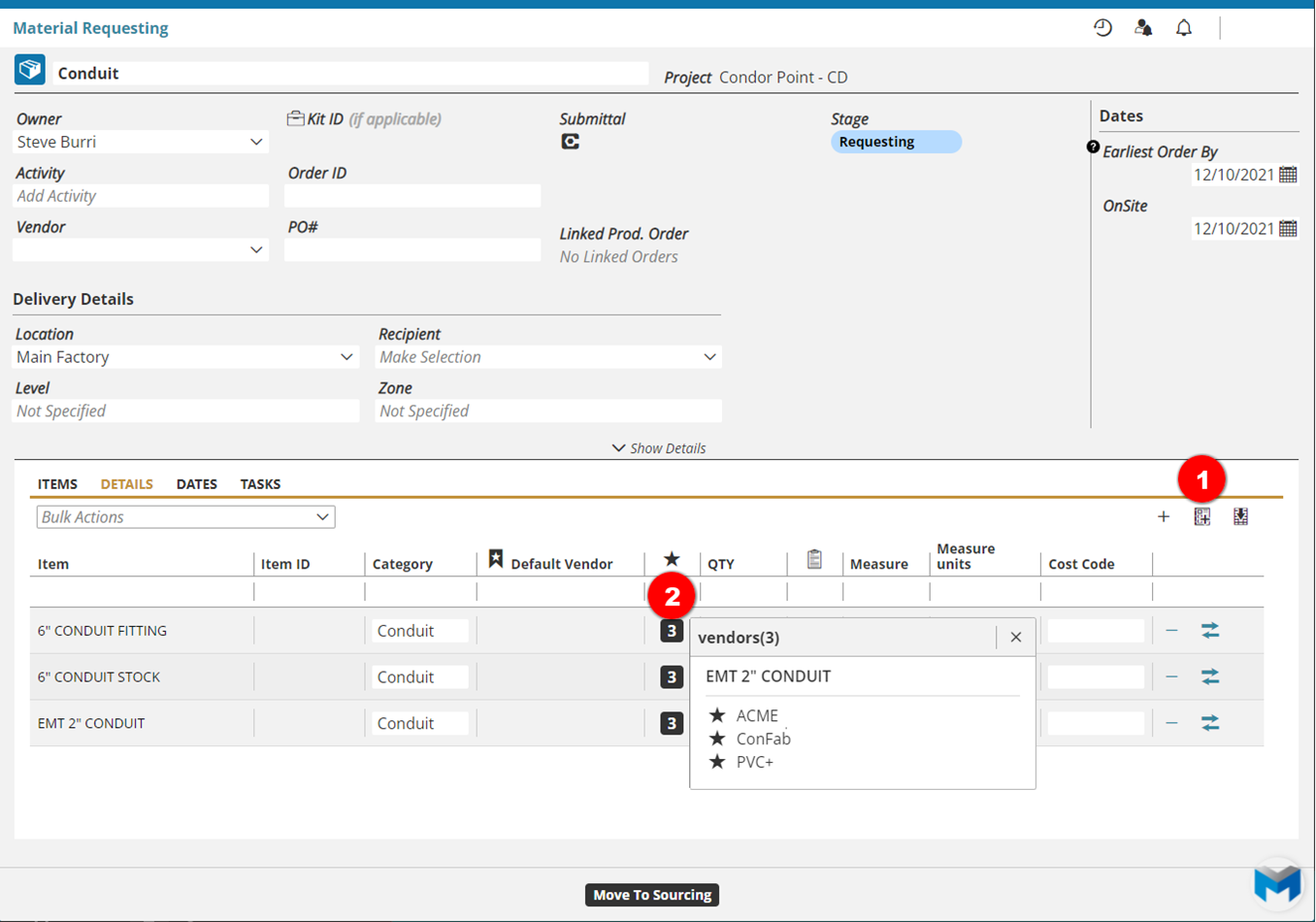
Note: In addition to matching vendors to parts by Category, specific vendors can be
      explicitly defined during an import of parts to your Parts Catalog.  See the KB
      Article on Import Templates – Parts for more information on this topic.
Take a look at our brief (~5:30) video on Vendors:
Comments
0 comments
Please sign in to leave a comment.