Overview
As part of the Kitting process, multiple assemblies can be defined, broken out for production, processed, and recombined back into the kit to be shipped to the site (see the Kits KB for more information on Kits)
For each of these assemblies, a unique material order can be requested, but sourcing and ordering those requests as separate orders probably doesn't make much sense.
Manufacton allows for all material orders associated with a kit to be moved from the requesting stage to the sourcing stage at the same time AND be combined into one order.
Details
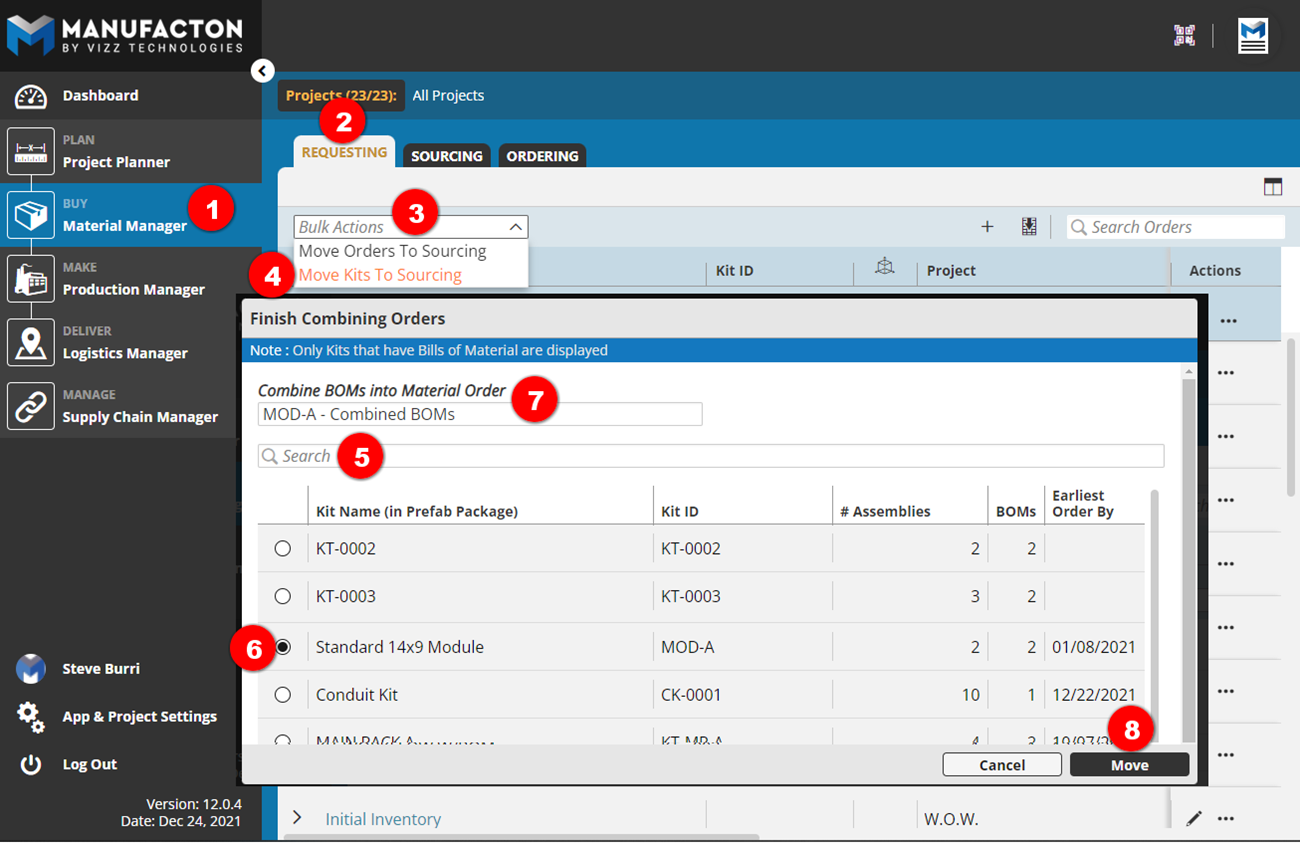
To combine multiple material requests from a single kit into on sourcing order:
- On the Material Manager module
- In the Requesting tab
- Select the Bulk Actions arrow
- Select "Move Kits To Sourcing"
- Search for the kit as necessary
- Select the desired Kit
- Update the combined order's Name as desired
- Select Move
In the Sourcing stage, a single, combined order for the entire kit has been created with all of the items from each of the Requesting orders in it.
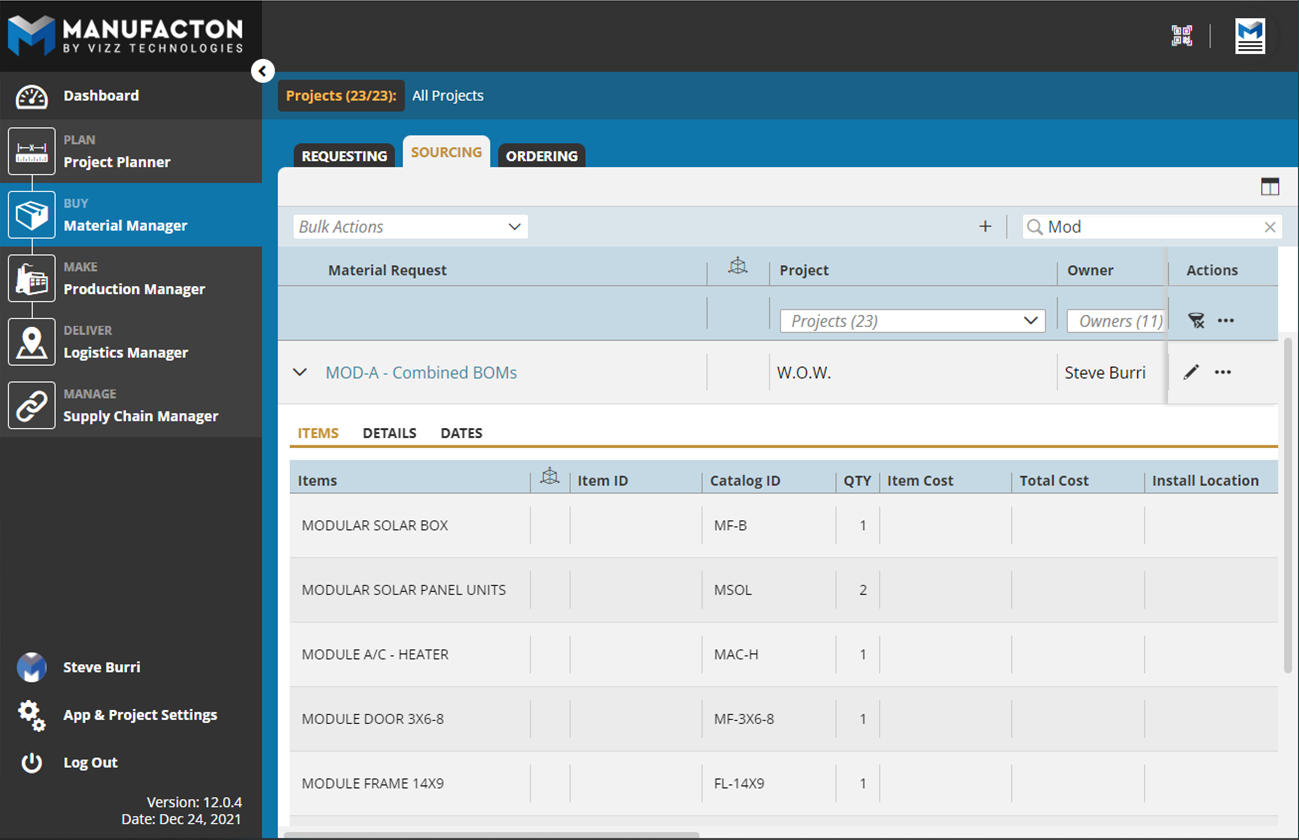
This order can now be combined with other orders and split by vendor or desired delivery date.
Comments
0 comments
Please sign in to leave a comment.