Overview
Nested Inventory is enabled by introducing Nested Company Locations and Transfering items into those locations for short or long-term storage.
This function is primarily implemented to support Inventory Management but has some additional utility as well.
Topics in this KB Article include:
Terms
A few terms should be defined to ensure clarity:
- Nested Company Locations - A hierarchy of locations - See Nested Company Locations
- Classic Locations - Non-nested Company or Project Locations - See Company Locations
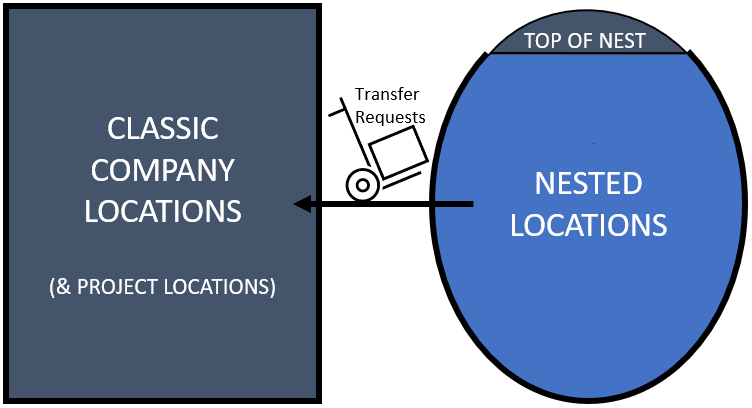
- Top of Nest - The initial location defined for the nest into which all other nested locations roll-up
- Transfers - The method used to move inventory items within the nest (with limited exceptions) - See Transfer Requests
- Shipments - The method used to move inventory items from one Classic Location and another, or from a Classic Location to the Top of Nest.

Concepts
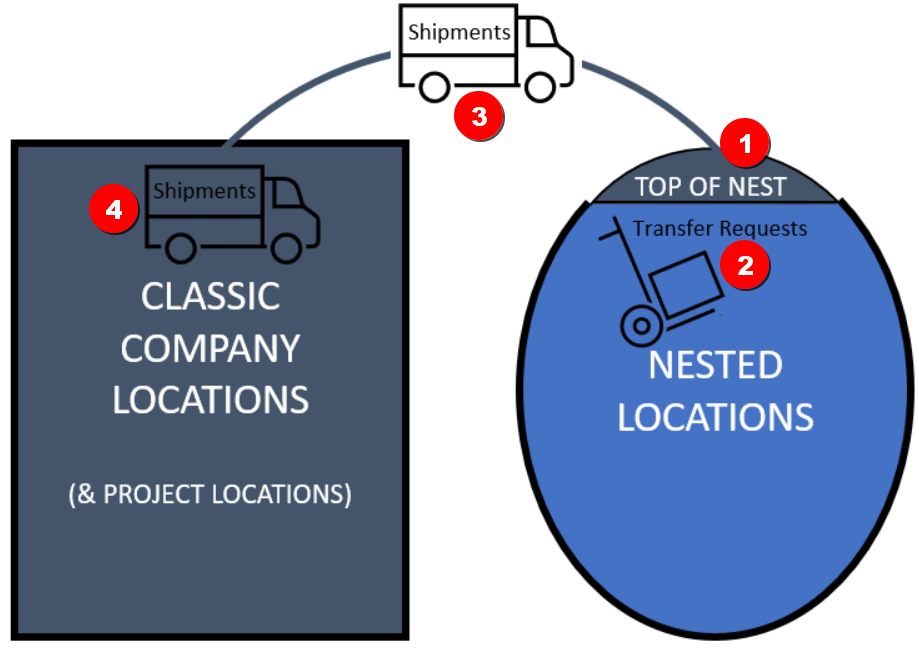
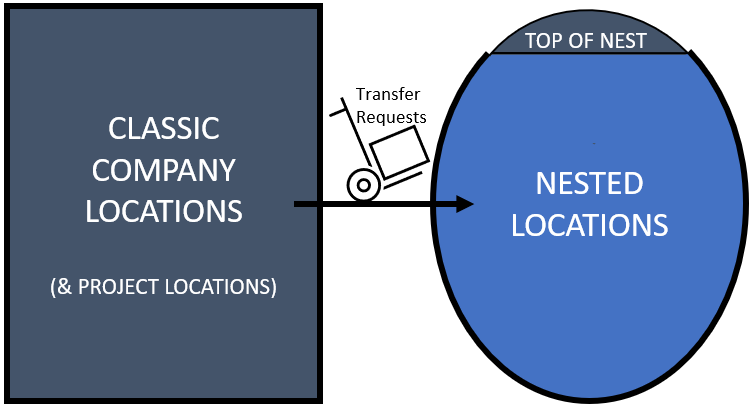
The way inventory is moved into, around and from the Nested Locations is as follows:
- All inventory is moved into and out of Nested Locations via Shipments through the Top of Nest location
- There are two exceptions to this rule detailed further in this KB Article:
- Within Nested locations, all inventory is moved via Transfer Requests
- Between the Top of Nest and other Classic Company or Project Locations, Shipments are used to move inventory
- Between Classic Company and Project Locations Shipment are used to move inventory
Details
Getting inventory into the Nested Company Locations
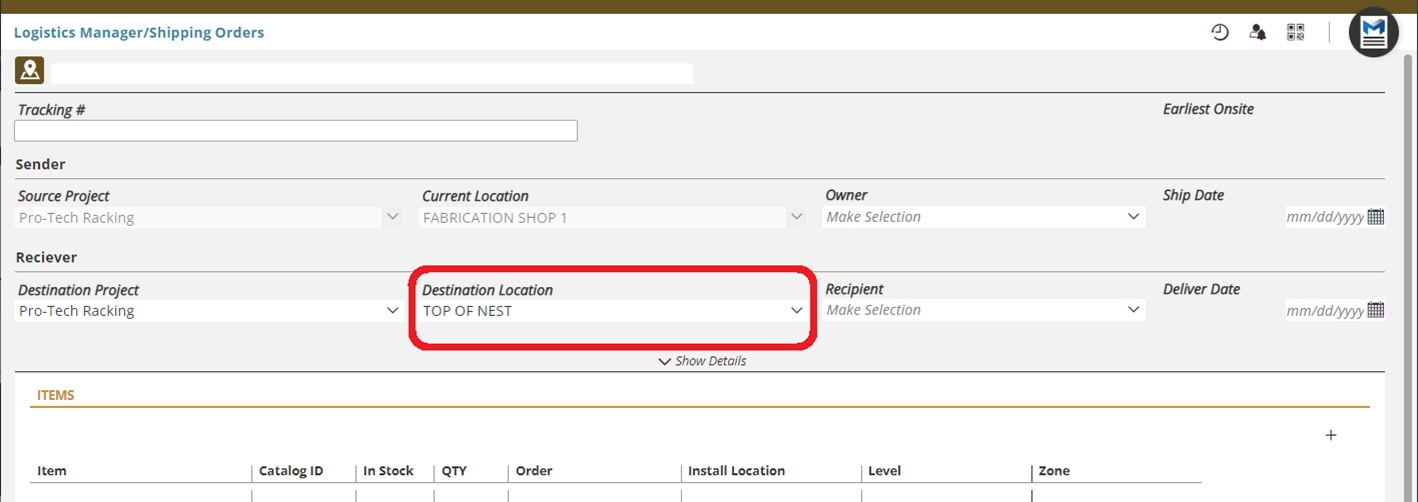
To get inventory into a Nested Inventory Location, it must first be shipped to the Top of Nest location. Any inventory, from Material Orders and/or Production Orders, can be stored in the Nest.
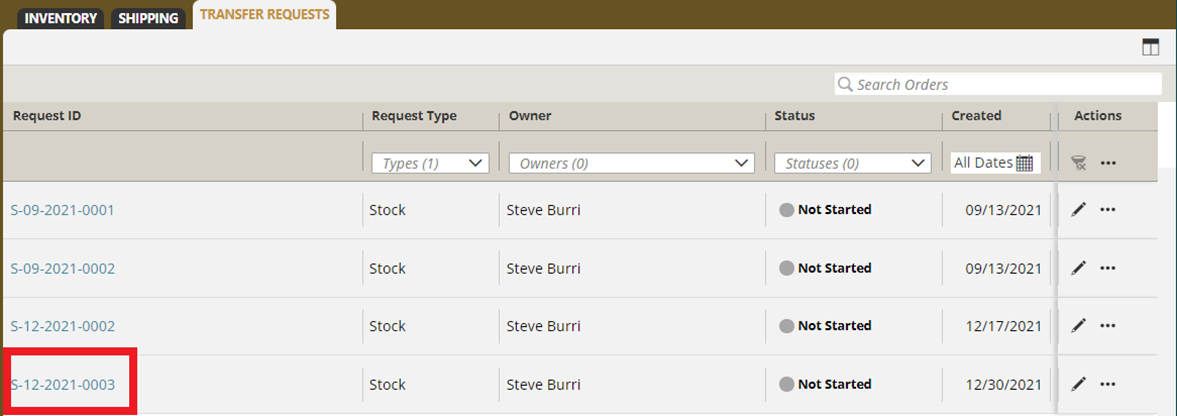
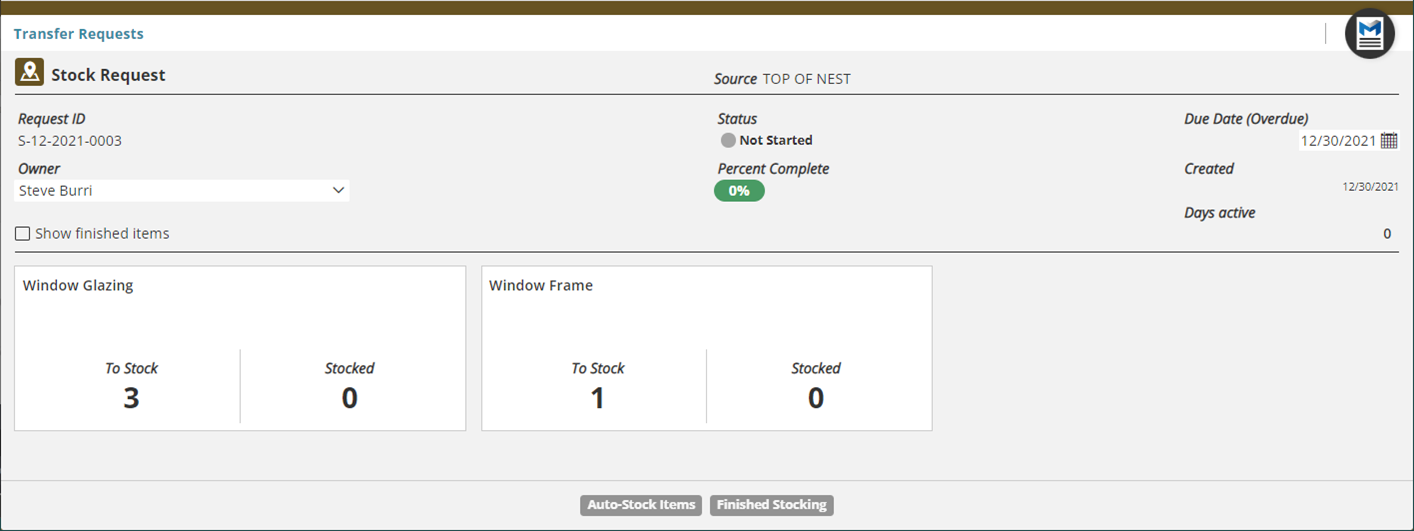
At the time a shipment is received at the Top of Nest, the option to create a Transfer Request to move that inventory further into the Nested Locations will be offered.
Moving Inventory within Nested Company Locations
All inventory that needs to be moved within the Nested Company Locations is moved via Local Inventory Transfer

Getting Inventory Out of Nested Locations
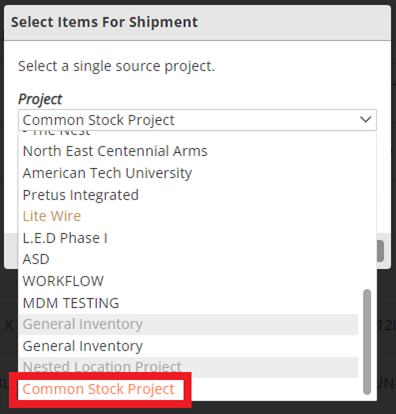
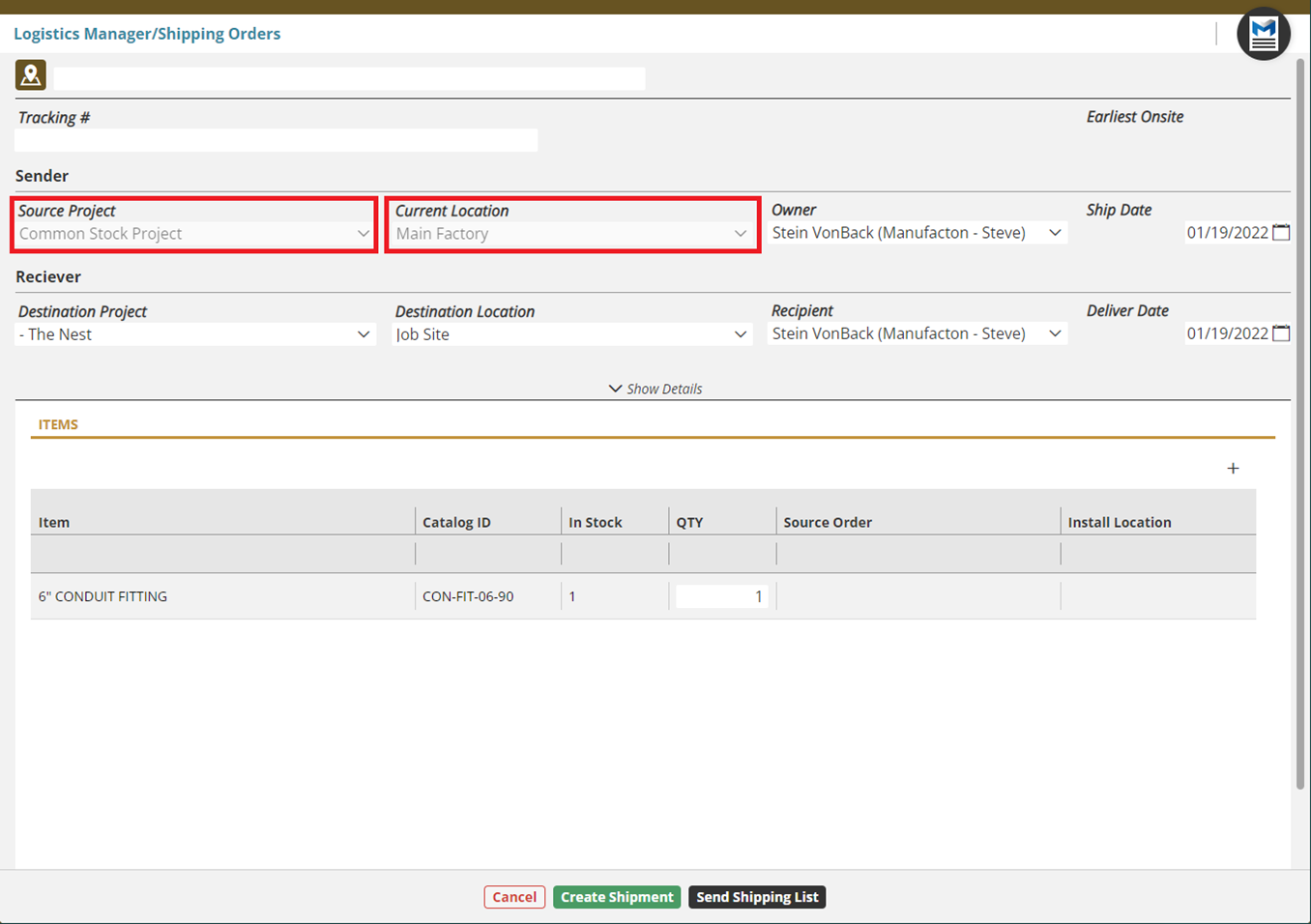
For items to be shipped from the Nested Company Locations the Source Project (the project from which the item is coming) needs to set to the "Common Stock Project".
The Current Location of the items to be shipped needs to be set to the Top of Nest Location. Only the Top of Nest Location can be selected. Items must be moved via a Transfer Request to the Top of Nest Location before they can be shipped.
Exceptions
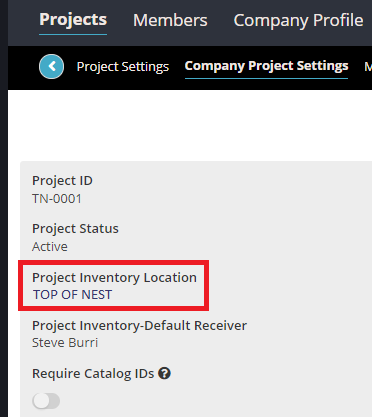
There are two exceptions where Transfer Requests (rather than Shipments) can be used to move inventory to/from a Nested Company Location to/from a Classic Company Location. Both are made available only when a project's "Project Inventory Location" is set to the Top of Nest. See the KB Article on Creating a New Project for more information on the Project Inventory Location.
Transfer Requests in Support of Production
One of the two exceptions is to allow inventory to be moved from a Nested Company Location to a Classic Company Location when a Production Order which has Materials associated with it and that Production Order is moved from the Detailing to the Manufacturing stage. When that happens, a Transfer Request will be created and must be fulfilled before the Production Order can be completed and moved on from the Manufacturing Stage.
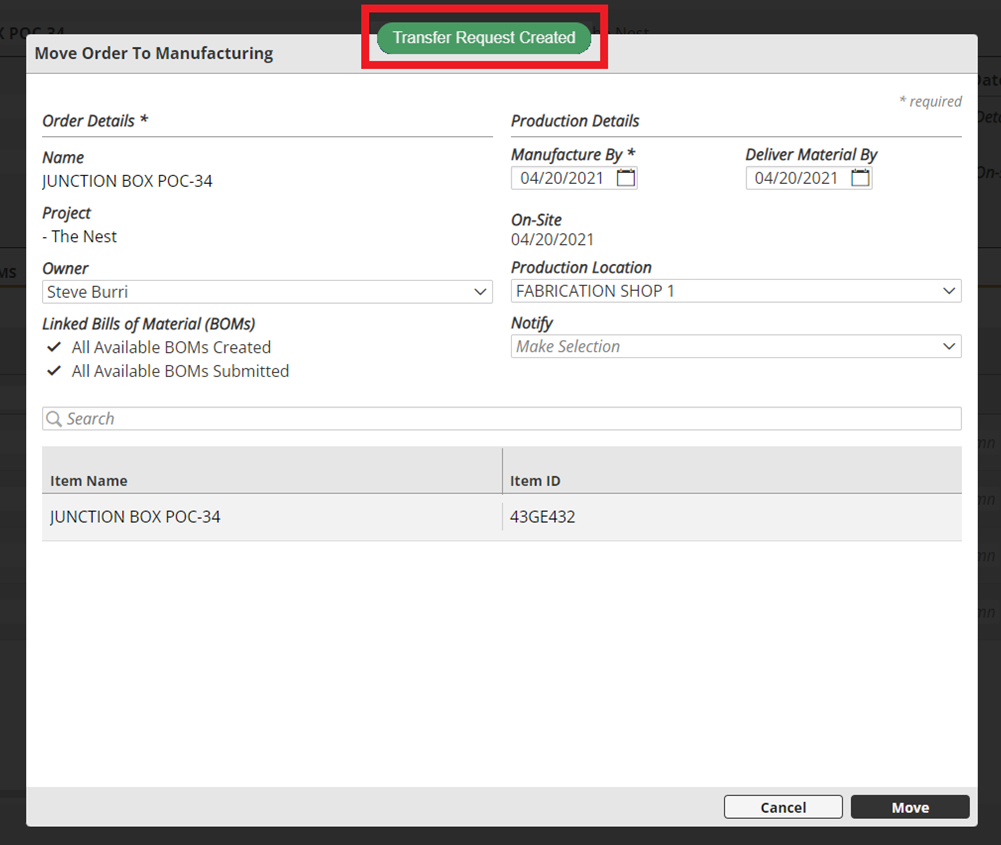
For these instances, the destination location for the "Pick" request will be the Classic Company Location where the Production Order is to be manufactured.
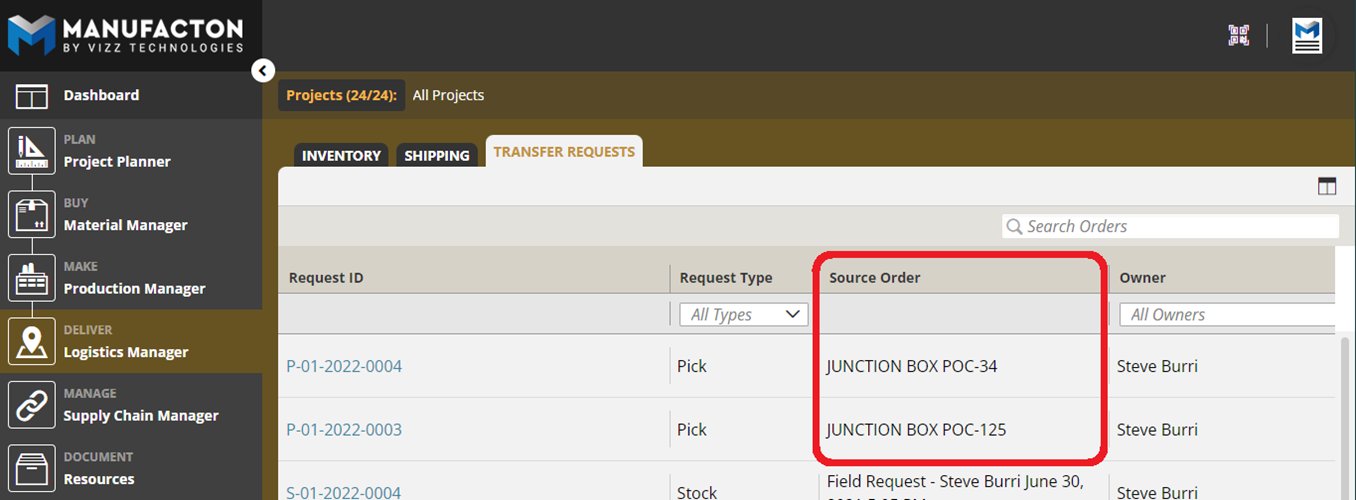
Requests which have been created from a Production Order will include information about the Production Order from which they originated.
Notes:
      o These Transfer Requests MUST BE FULFILLED so that the material
        within the Production Order is available, can be reserved and
        consumed before the Production Order can be moved on from the
        Manufacturing Stage.
      o If there is no role in you enterprise trained to fulfill these
        Transfer Requests within Manufacton, it is recommend that a
        non-Nested Company Location be used.
Completed Production Orders Being Moved to Inventory
A second exception is for completed Production Orders that are being moved to Inventory.
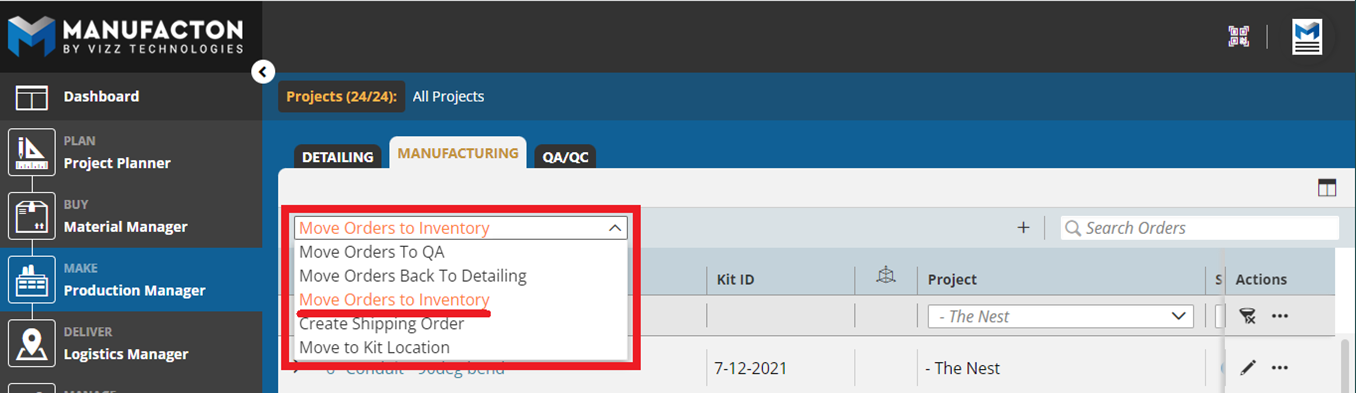
If the Destination Location is set to the Top of Nest of the Nested Company Location, a Transfer Request will be initiated to move that item from the Classic Company Location to any location within the nest.
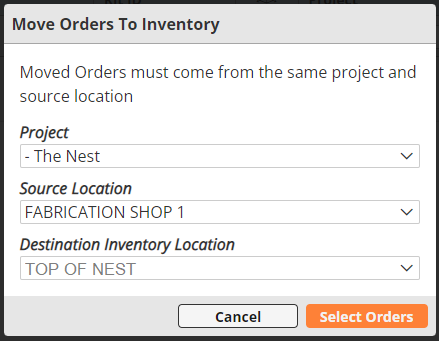
For these instances, the source location for the "Stock" Transfer Request will be a Classic Company Location from which the Production Order has been manufactured.
Comments
0 comments
Please sign in to leave a comment.