Overview
The Planning stage of Manufacton is where high level, conceptual groupings of prefabs can be started. The planning cards themselves are the starting point and "container" for the more detailed production orders which will be generated from them.
The items within the planning card will generate new Production cards which will then make their way through the production management cycle:
- Coordination
- Detailing
- Manufacturing
- Quality Assurance (optional)
Those new Production orders will have item(s) in them that make-up the actual, physical prefabs which will be produced (see the Project Planner section of the Manufacton Workflow (generalized) KB article for more context on this process).
Planning cards will always be visible in the Project Planner module's Planning tab and will provide information as to where in the process the orders generated from that card are.
This KB Article covers the following Topics:
Types
There are three types of Prefab Packages that can be created:
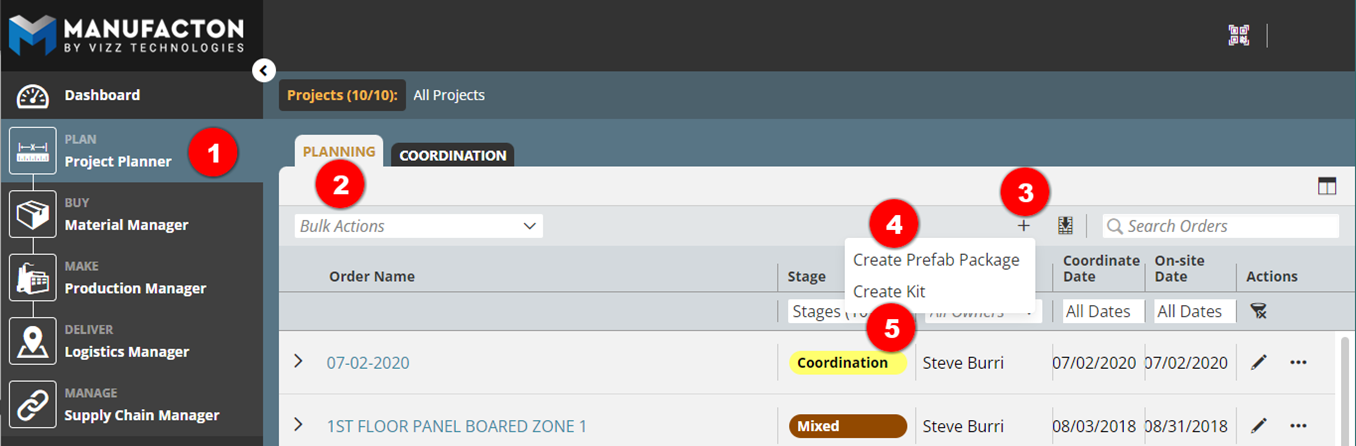
- From the Project module
- In the Planning tab
- Select the Add New ("+") button and select one of:
- Create Prefab Package
- Create Kit
Usage
Regardless of which type of package is chosen, the interface is very much the same (small exceptions are called out in the sections below).
Start by providing some basic information about the package
- A package name is required
- Dates can be added at this time
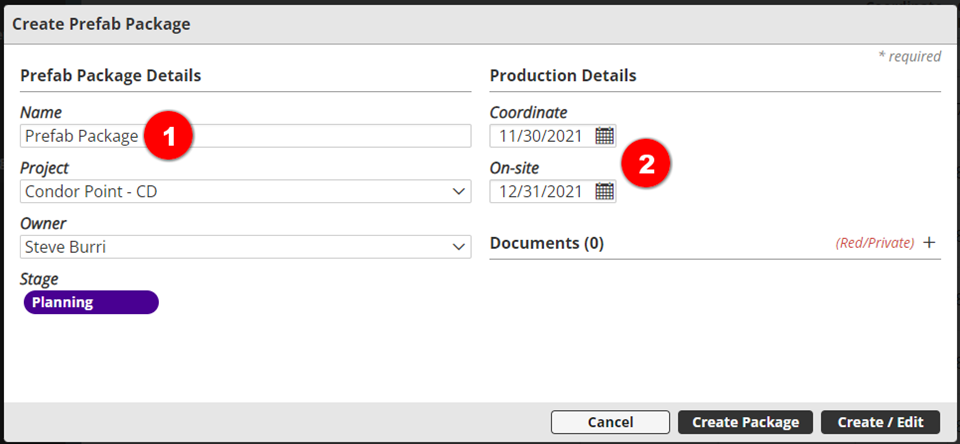
Note: For Kit packages:
      o A Kit ID will be required
      o Additional dates will be required
Each item that is added to the card will be turned into its own production orders or grouped with other items in a Production Order.
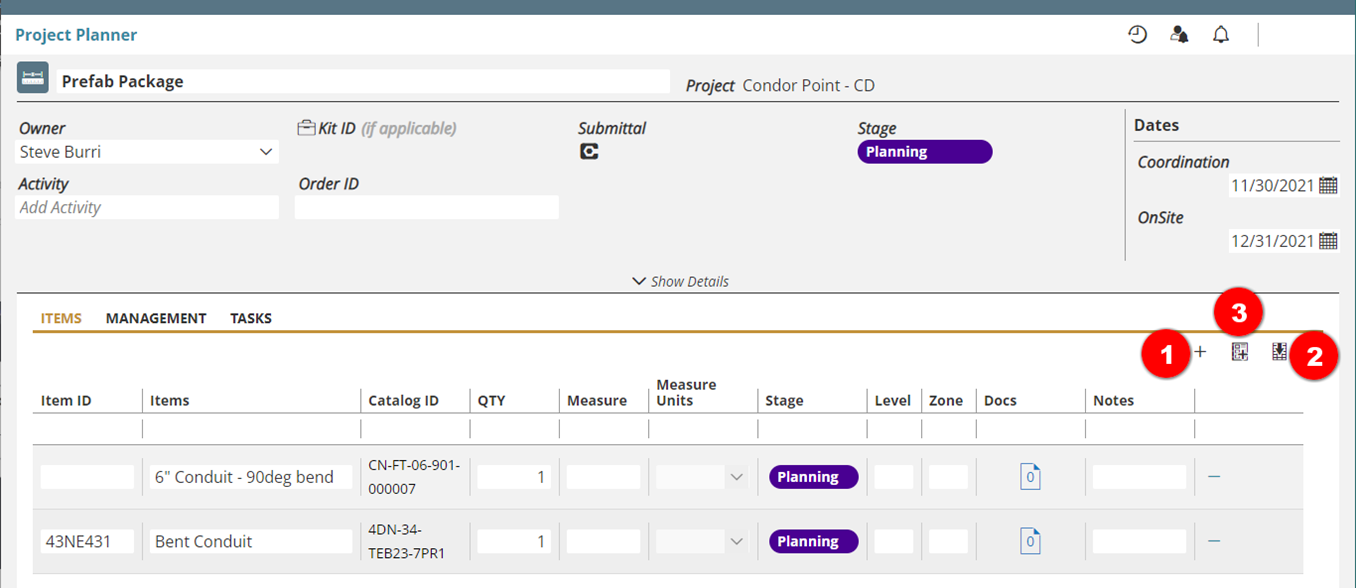
Items can be added one of three ways to a Prefab Package:
- Manually by selecting Add Item
- Most commonly used for creating unique production orders
- Via an item import
- Most commonly used for creating more standard production orders which are not in your Assembly Catalog
- From the Assembly Catalog
- Most commonly used for creating standard assemblies
Note:  More information on the User Interface is available in the
       Project Planner, Material Manager and Production Manager section of
       the Manufacton User Interface KB article.
Creating Production Orders
The items within planning cards can then be turned into Production Orders by moving them forward either within the Planning Card or by selecting the three-dot menu (ellipse) next to the card.
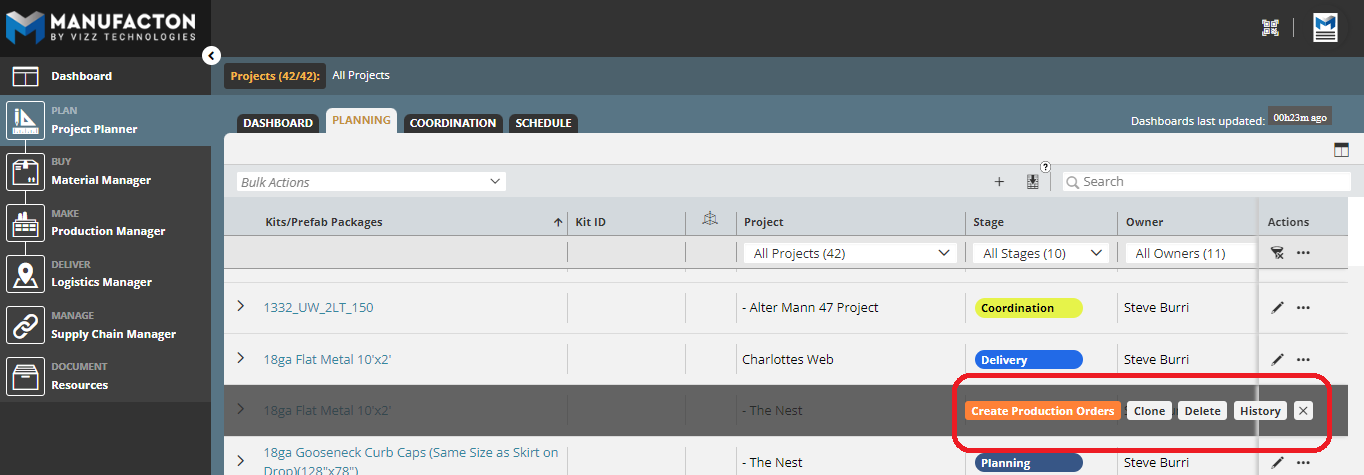
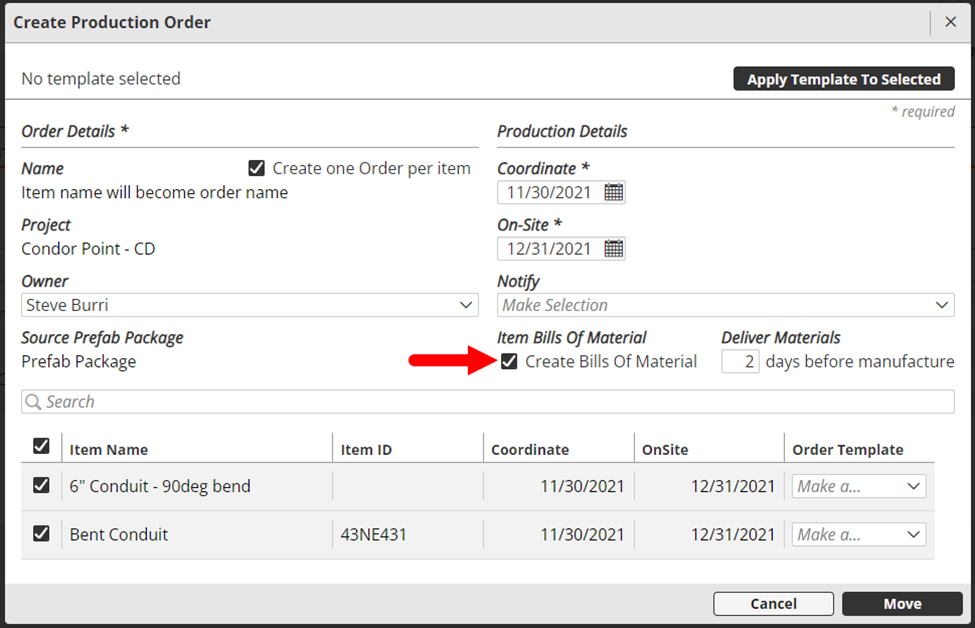
Those items that were added as Assemblies (from the Assembly Catalog) can have Material Orders automatically created and allocated to the Production Order as its Bill of Materials (BOM) as it is moved from the Prefab Package into its own Production Order in the Coordination Stage.
It is also possible to move a bunch of items from Planning cards from the planning stage at once:
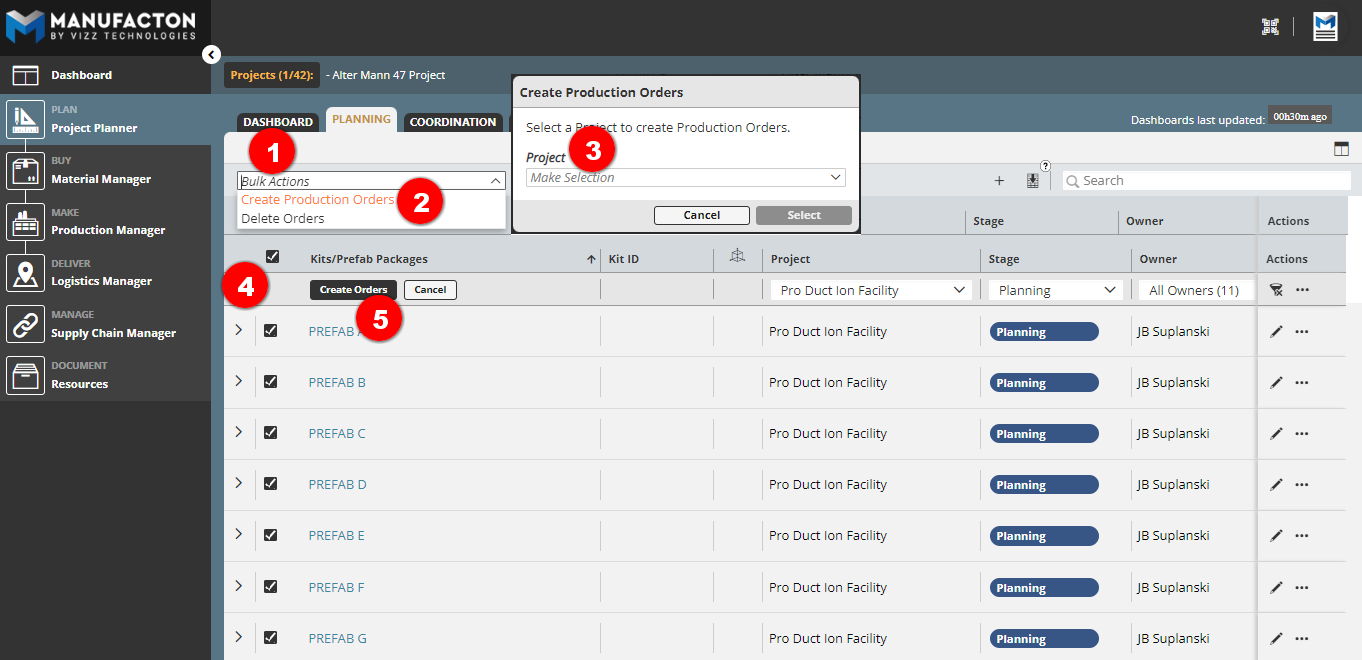
- Select Bulk Action
- Select Create Production Orders
- Select the Project in which to create the Production Orders
- Check the Order(s) to be moved forward
- Note: Planning Cards that have no items in them or all their items moved into Production will not have a check-box next to them
- Select Create Orders
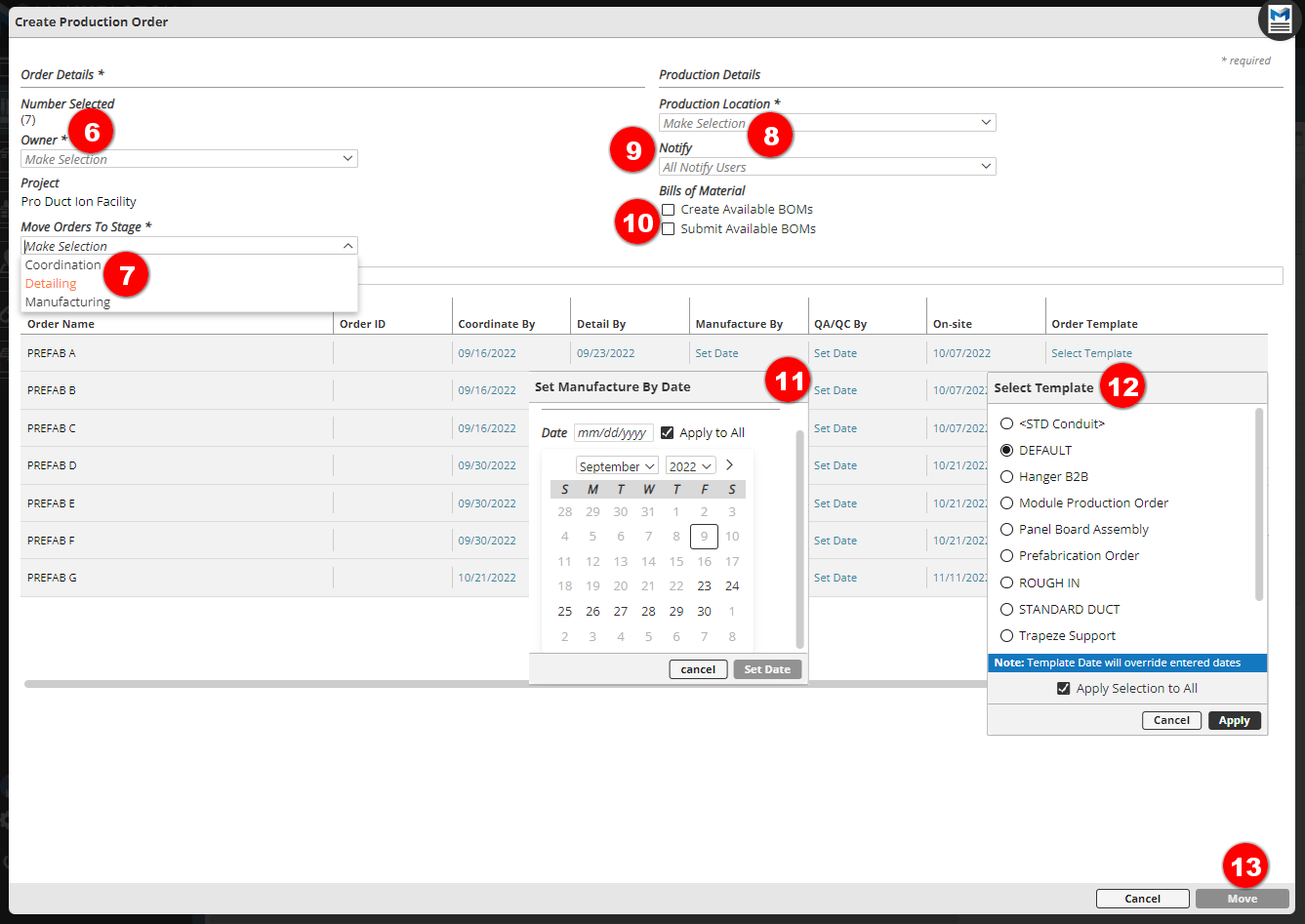
- Select an Owner for the new Production Orders
- Select what stage the Production Orders should be moved to
- Select a Production Location
- Optionally notify additional people on the project team
- Choose to create and Submit BOM for Production Orders that have assemblies in them
- Set the necessary Dates
- Optionally Apply that date to all Orders
- Optionally select a Template for each Order
- Optionally Apply Selection to All of the Orders
- Move the Items into Production
Single Company ("Standard") Packages
The Single Company Prefab Package enables standard (non-kitted) production orders to be defined and moved into production, either altogether or separately.
Those orders maintain a loose relationship vai the Prefab Package from which they were created but can be completed and shipped on very different schedules (unlike those from a Kit Package).
Kit
Kit Prefab Packages support the fully kitted workflow as described in the Kits KB Article.
There are a few unique qualities to Kit Prefabs:
- Unlike the other types of Prefab Packages, there is a mandatory item added to the card which represents the kit itself.
- The items that make up the Kit Prefab must all be completed before the kit can be completed and shipped.
- All of the items that make up the Kit must be shipped together.
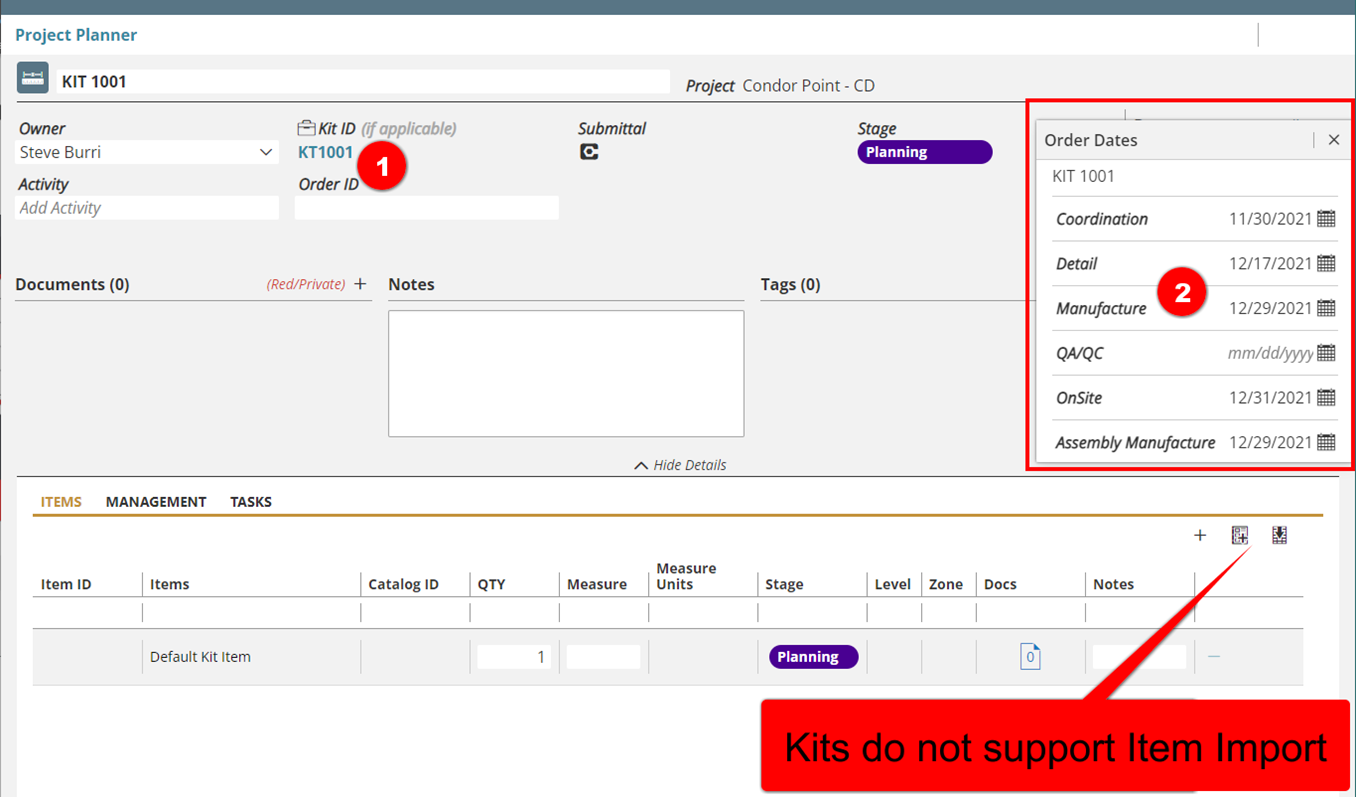
- The Prefab Package for a kit has three unique elements:
- A Kit ID (which gets associated with every Production and Material Order which is associated with it.
- Stage completion dates are required from the beginning (those dates can be modified over time as the schedule changes). There is an extra Assembly Manuf date that needs to be managed (described in the Kits KB Article).
- Kits do not support item import
Comments
0 comments
Please sign in to leave a comment.