Overview
Manufacton is not only LEAN, it is Agile! Knowing that tactical adjustments are required to ensure planned and unplanned adjustments are part of the manufacturing and construction world, Manufacton allows you to optimize your process by combining orders into a single order for coordination, detailing and/or manufacturing. Similarly, if orders are too large or need to be expedited across multiple workflows, those orders can be split.
Both the Material Management and Production Management workflows support splitting and combining orders.
Splitting
The splitting of orders can take place in three stages:
- Prefab Planner - Production Orders stage
- Production Manager - Detailing stage
- Material Manager - Sourcing stage
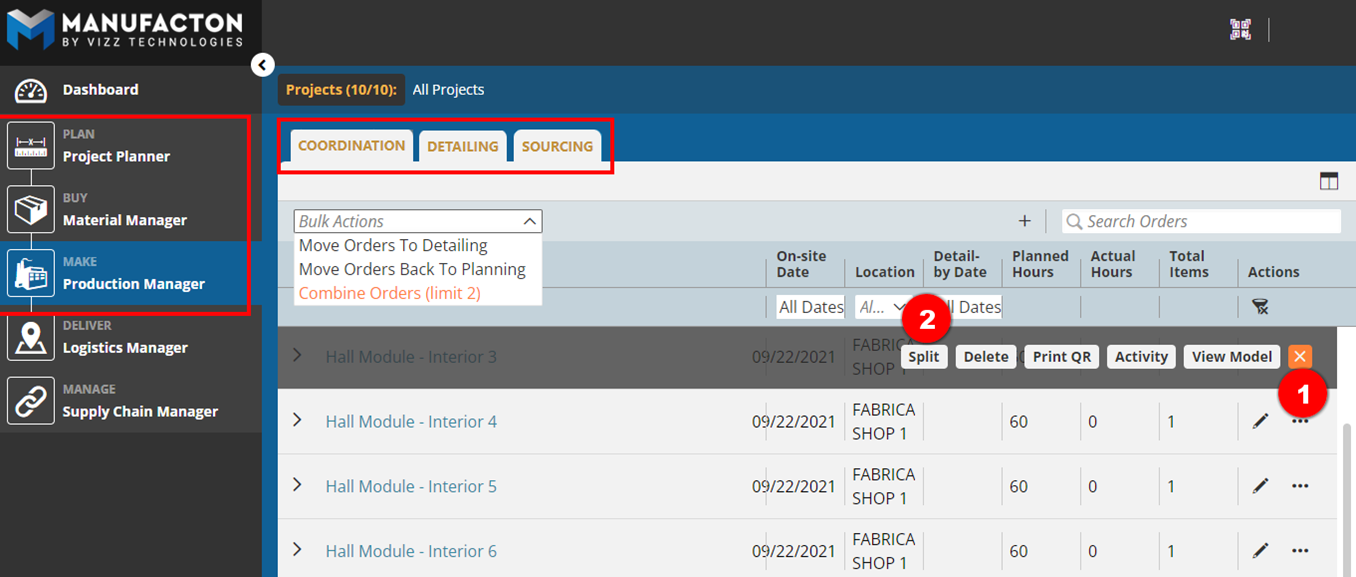
- Select the ellipse (three-dot menu) to the right of any order to be split
- Select the Spit option
- Provide a Name for the order into which the items are to be split
- Select the items to spit out of the order
- Select Split Order
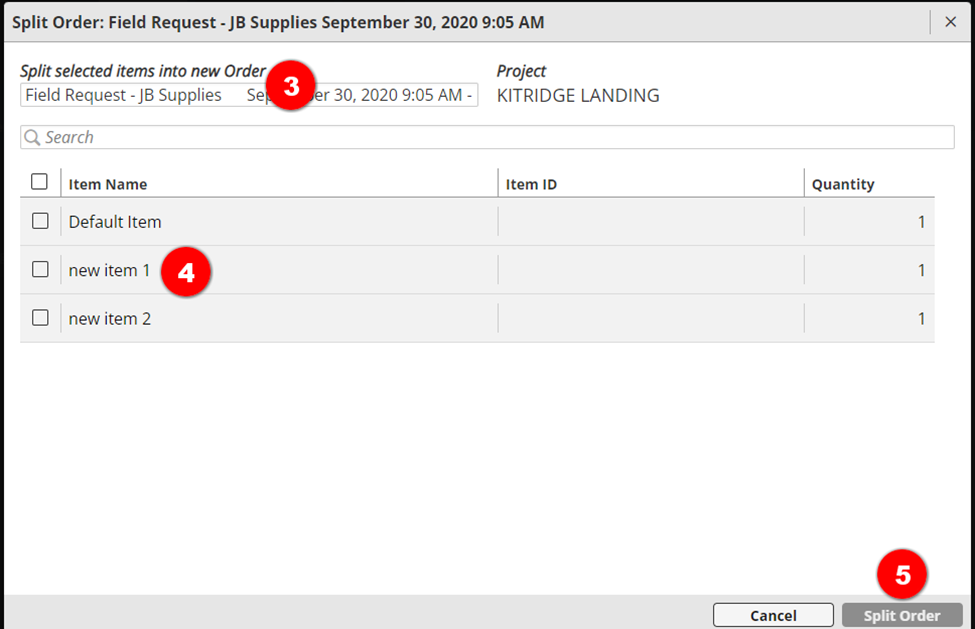
Note:  Only orders that have more than one item in them can be split.
       The quantity of an item cannot be split into separate orders.
Combining
Similarly, orders can be combined in three stages:
- Prefab Planner - Production Orders stage
- Production Manager - Detailing stage
- Material Manager - Sourcing stage
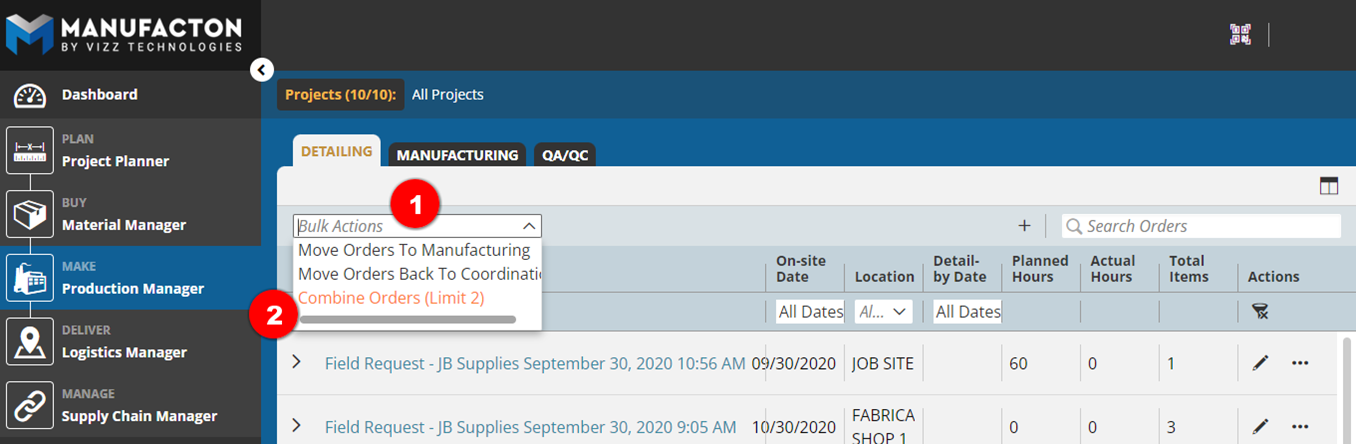
- Select the Bulk Action tool
- Select Combine Orders
- Select the Project in which orders are to be combine
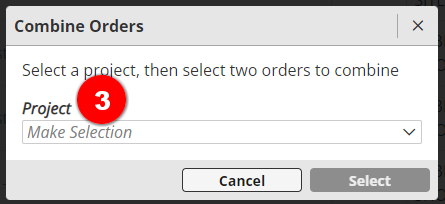
- Select the order to be combined
- Select Combine Orders
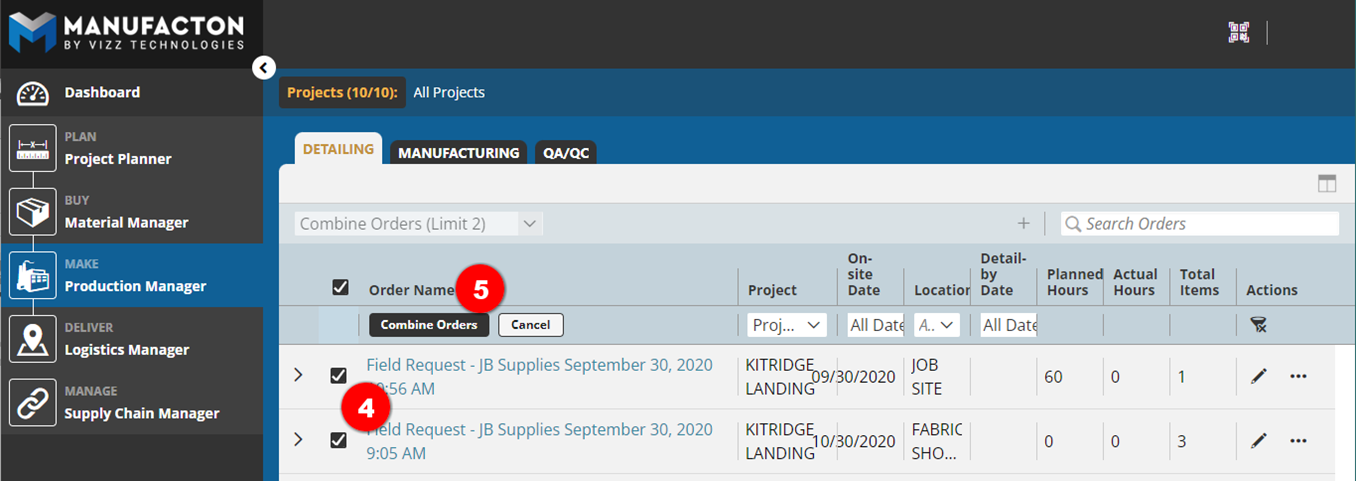
Notes:
       o Only Material or Production orders within the same project can be
         merged together.
       o Only assemblies from the same Kit can be merged together.
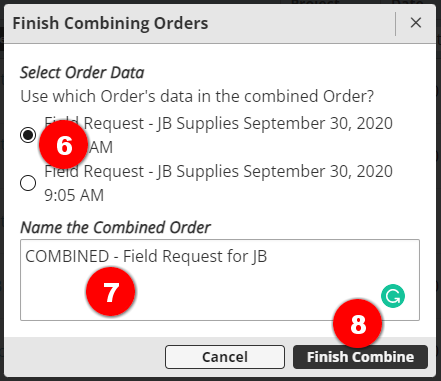
- Select the order from which the data should be maintained
- Dates
- Owner
- Associated documents
- etc
- Define a new Name for the combined order
- Select Finish Combine
Learn more about the primary use cases for Splitting and Merging material orders in Sourcing in the Material Manager Knowledge Article's Sourcing, Ordering & Shipping section
Comments
0 comments
Please sign in to leave a comment.