Summary
Every industry measures the units of their materials and prefabs differently. Whether items are measured metric and imperial; By length, area, volume, weight; by skid, barrel, cart, box, palette, etc. for as many different building materials and fabrications there are, there are nearly as many units to measure them by.
Manufacton recognizes this an allows companies to define their own Measure Units to suit their needs.
Set-up
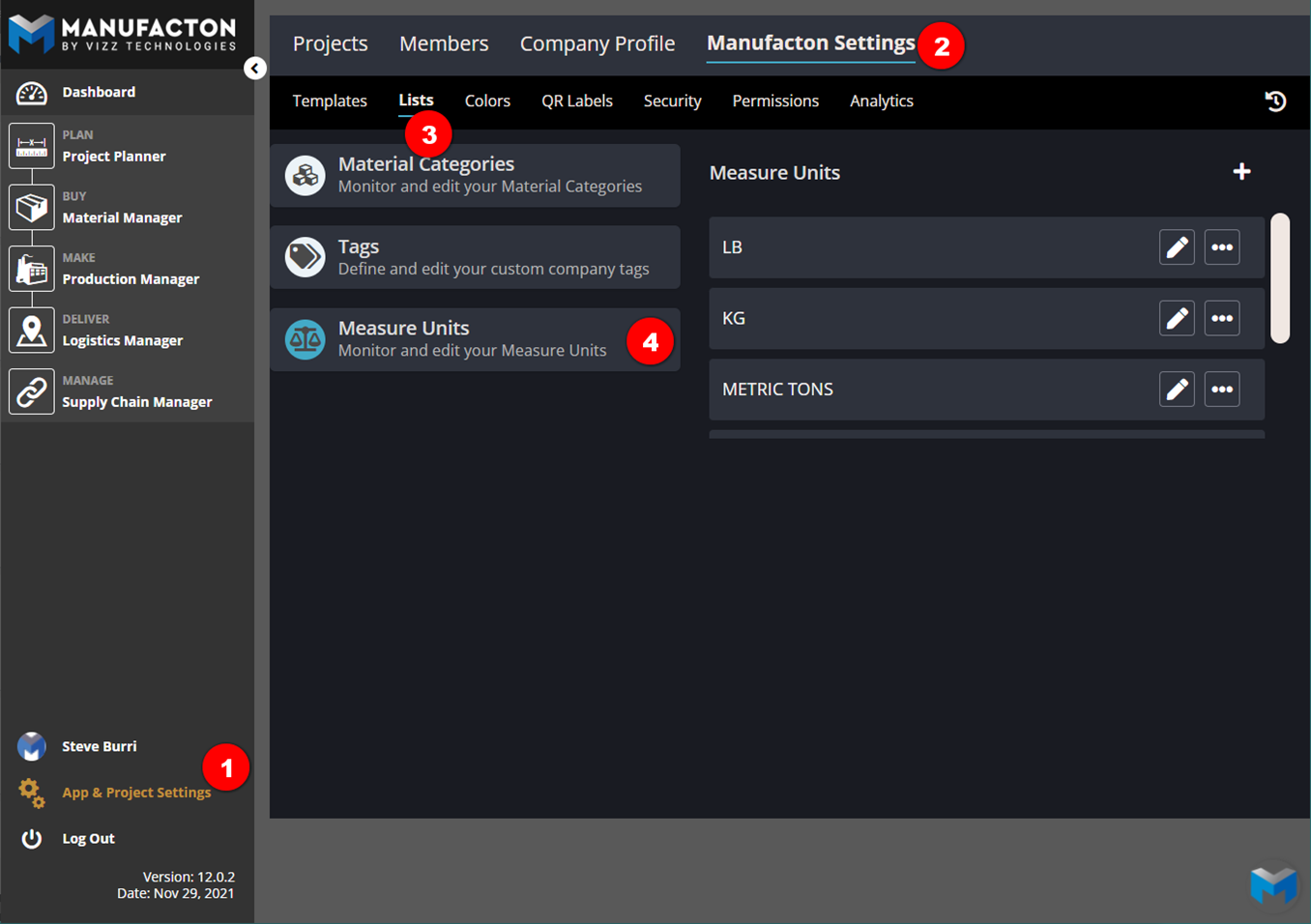
The set-up is straight forward and can be managed by any Administrator by selecting:
- App & Project Setup
- Manufafacton Settings
- Lists
- Measure Units
Once there:
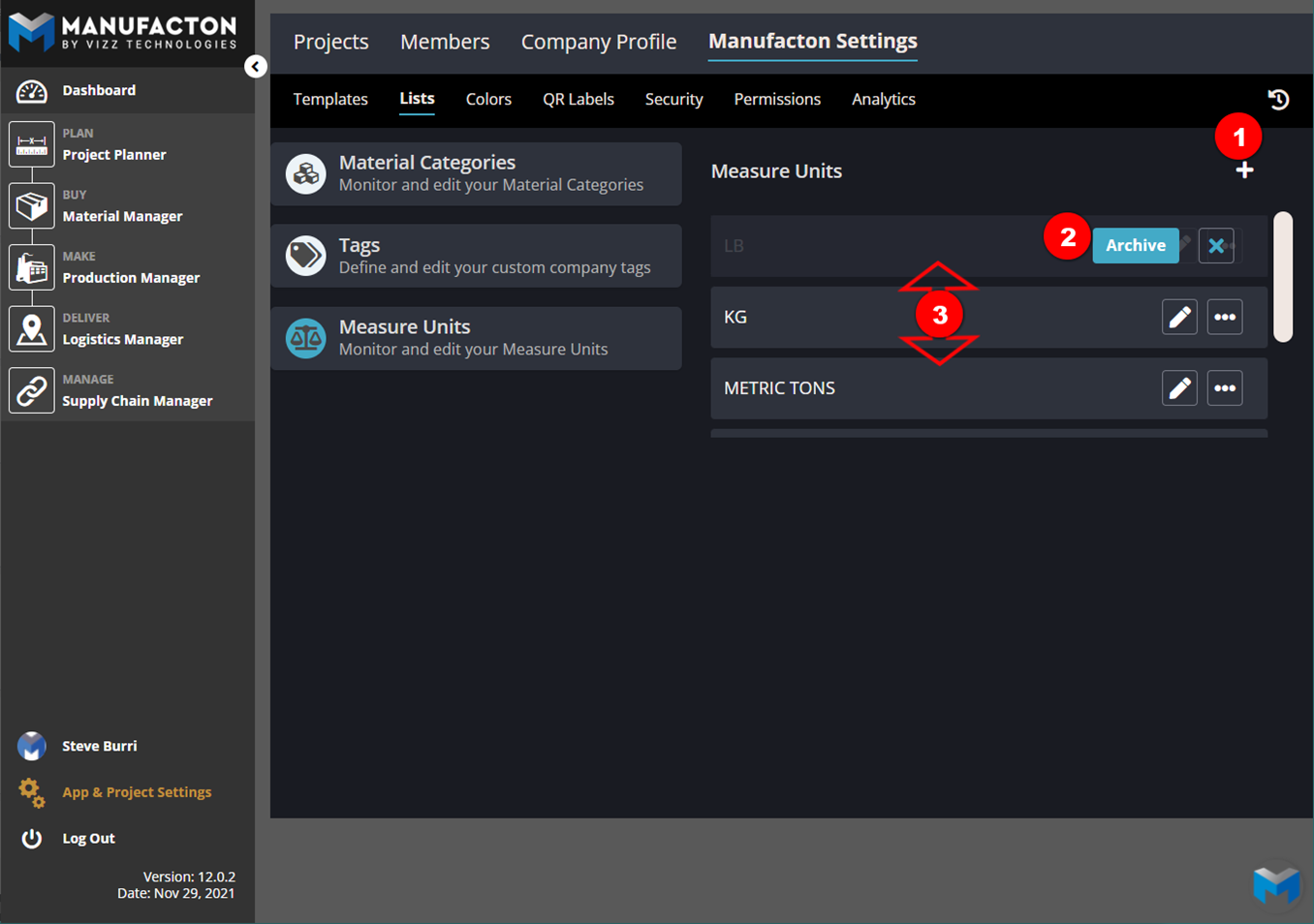
- New Measure Units can be added
- Unneeded Measure Units can be archived
- The order in which Measure Units show in Manufacton can be edited by dragging rows up and down.
Usage
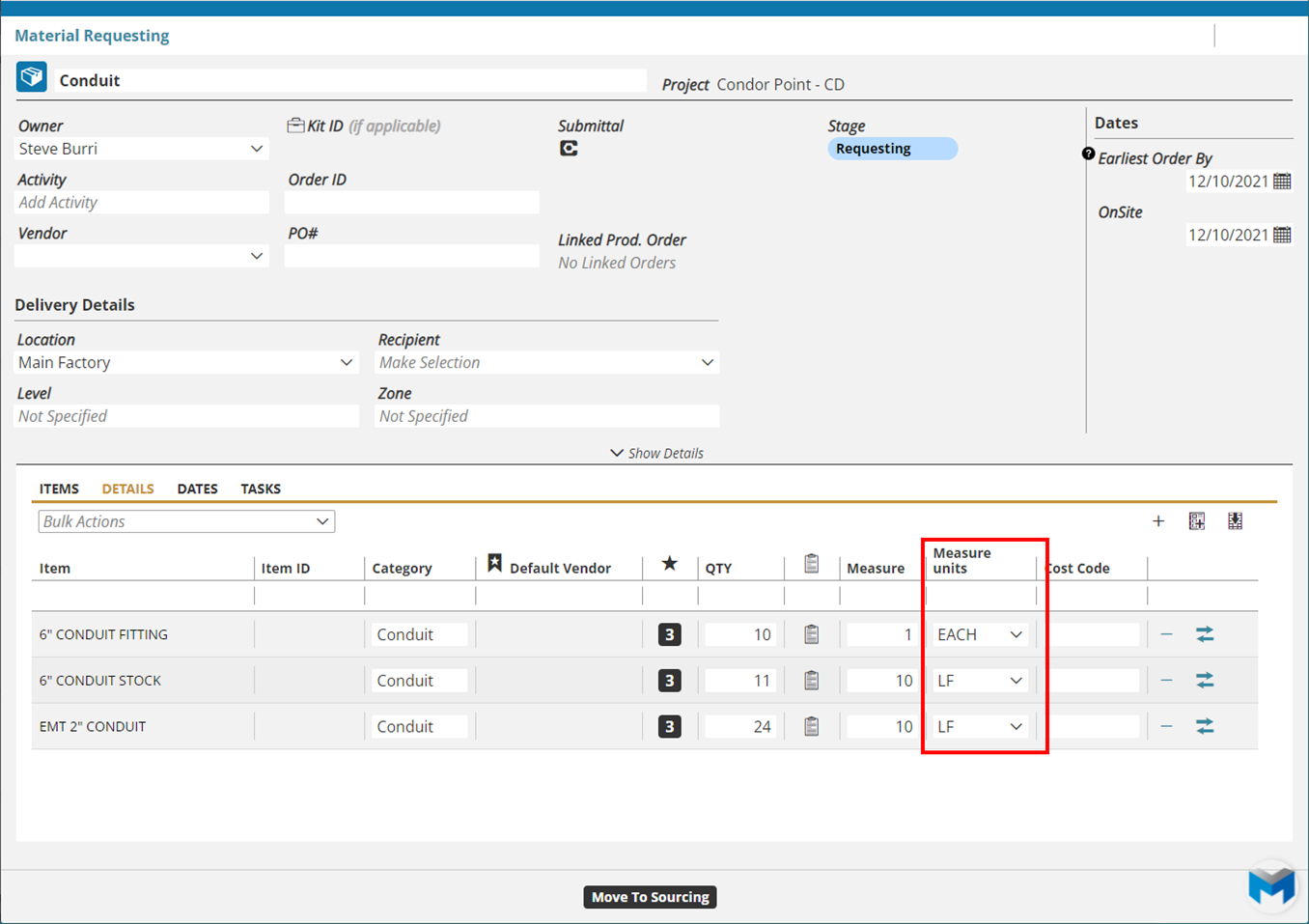
Once established, the Measure Units are available for all Items (both Material and Prefab) created in the system. Adding both a Measure and a Measure Unit to each items will help with the purchasing, stocking and delivery of those items as the unit will be clearly indicated.
For a comprehensive overview on Administering Manufacton, including Measure Units, please watch this video:
Comments
0 comments
Please sign in to leave a comment.