Overview
Sometimes the wrong items are sent, or perhaps too many of the right item, or maybe a change in plans has occurred and you no longer need what was delivered. In any case, shipping returns can be handled on the web browser by first receiving the order, and then creating a new shipping order returning all or part of the shipment.
Usage
As an example, let say you needed 100 pieces of pre-cut 2x4 for framing four custom casework units, but as the delivery is made, you realize you can only install two of them this week due to site conditions.
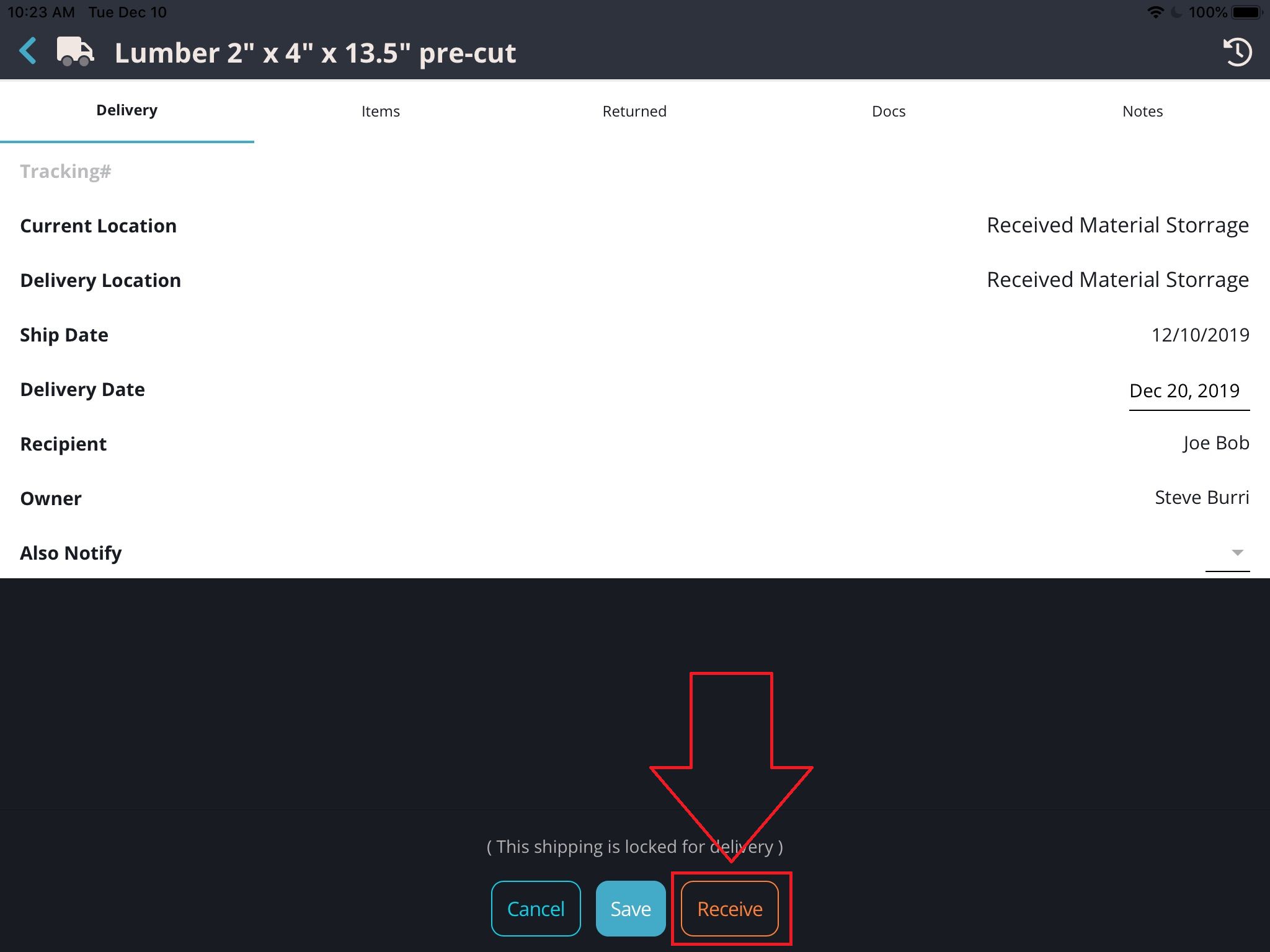
Scan in the QR for the lumber (or open the order in the app) and "Receive" it.
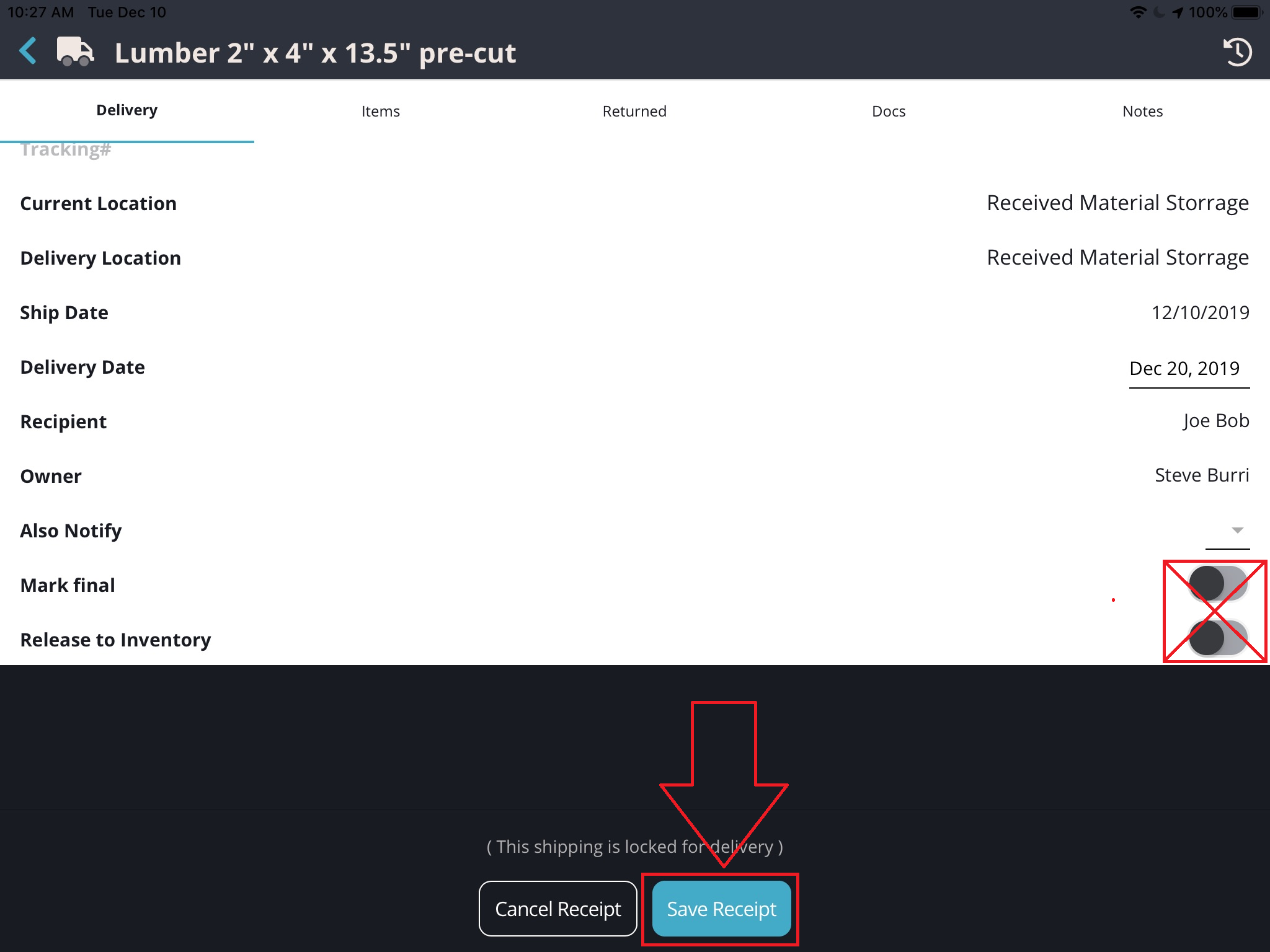
Do NOT "Mark Final" or "Release to Inventory" and then Save Receipt
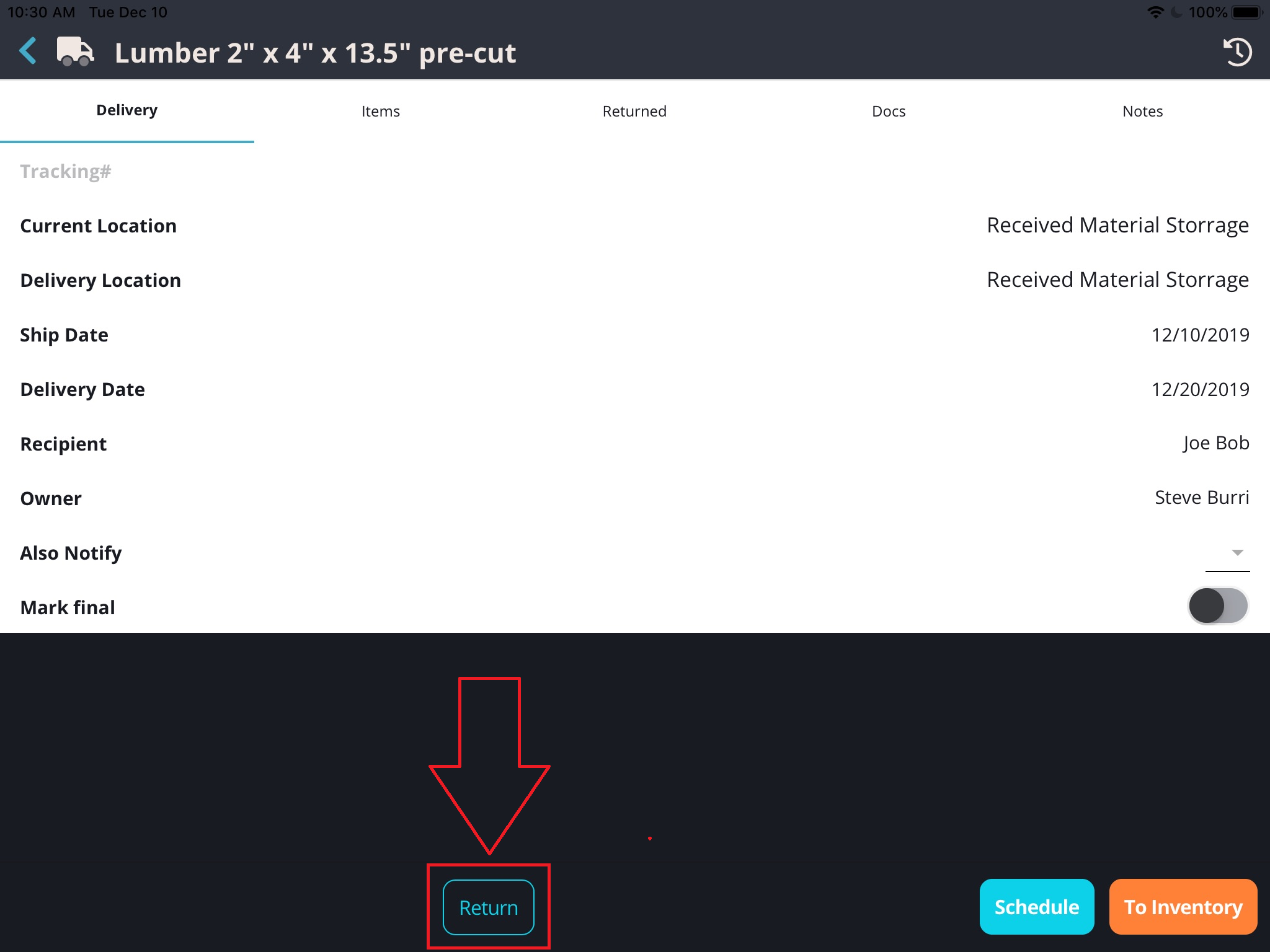
Open (or Scan) the order again and select "Return"
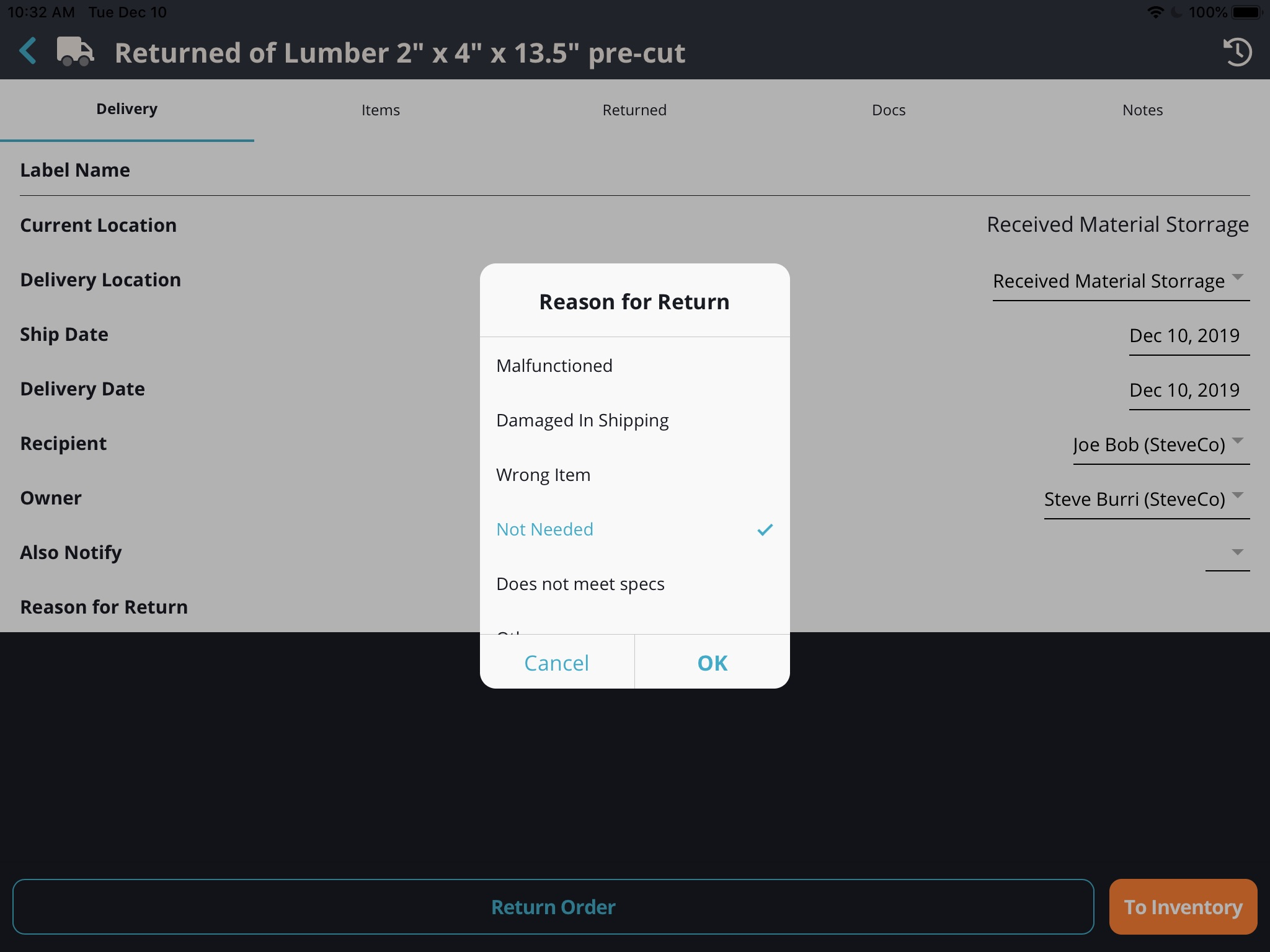
Provide the necessary information, including a reason for the return...
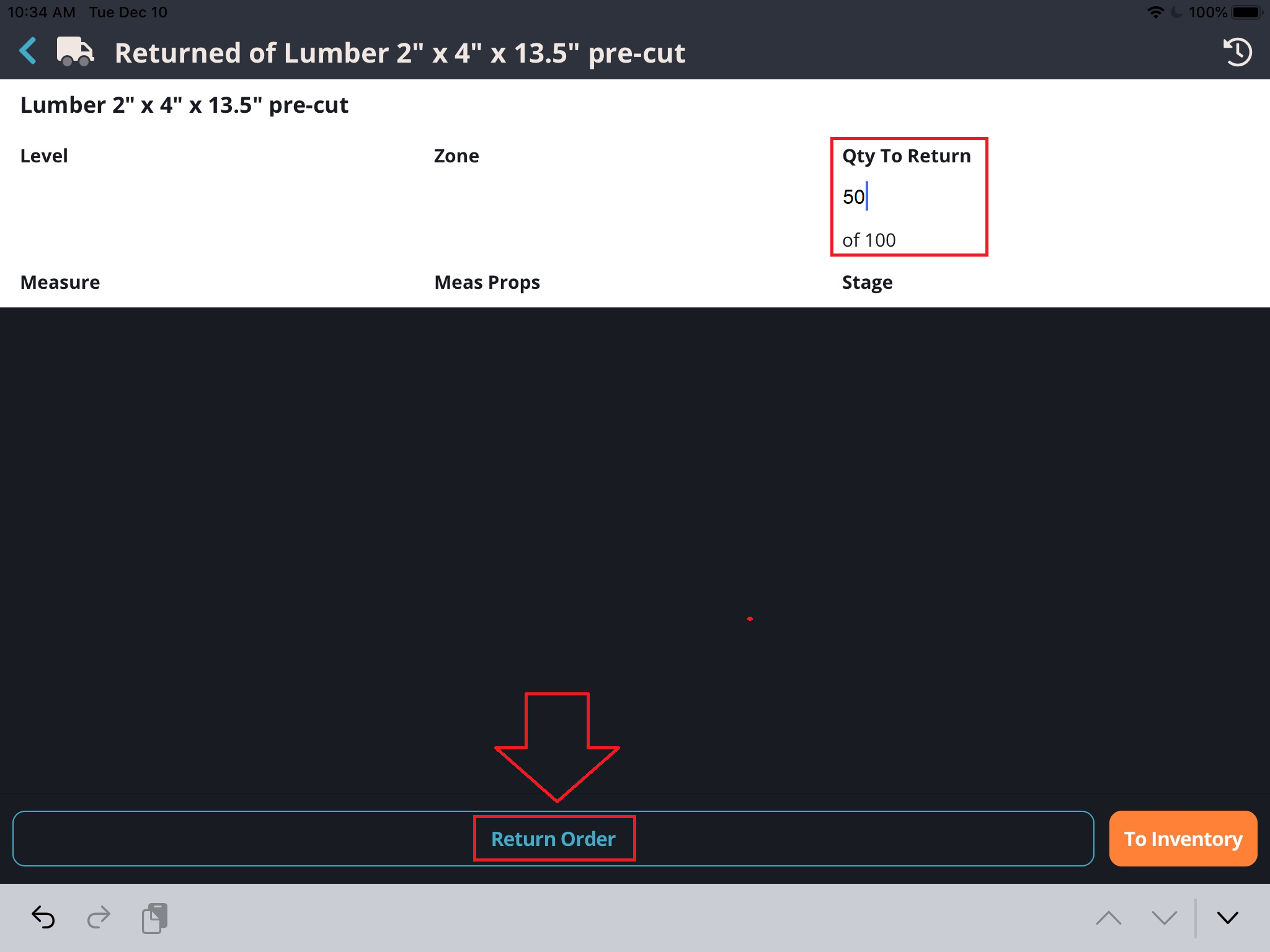
... and, on the Items tab, identify the quantity you are returning and the Return Order.
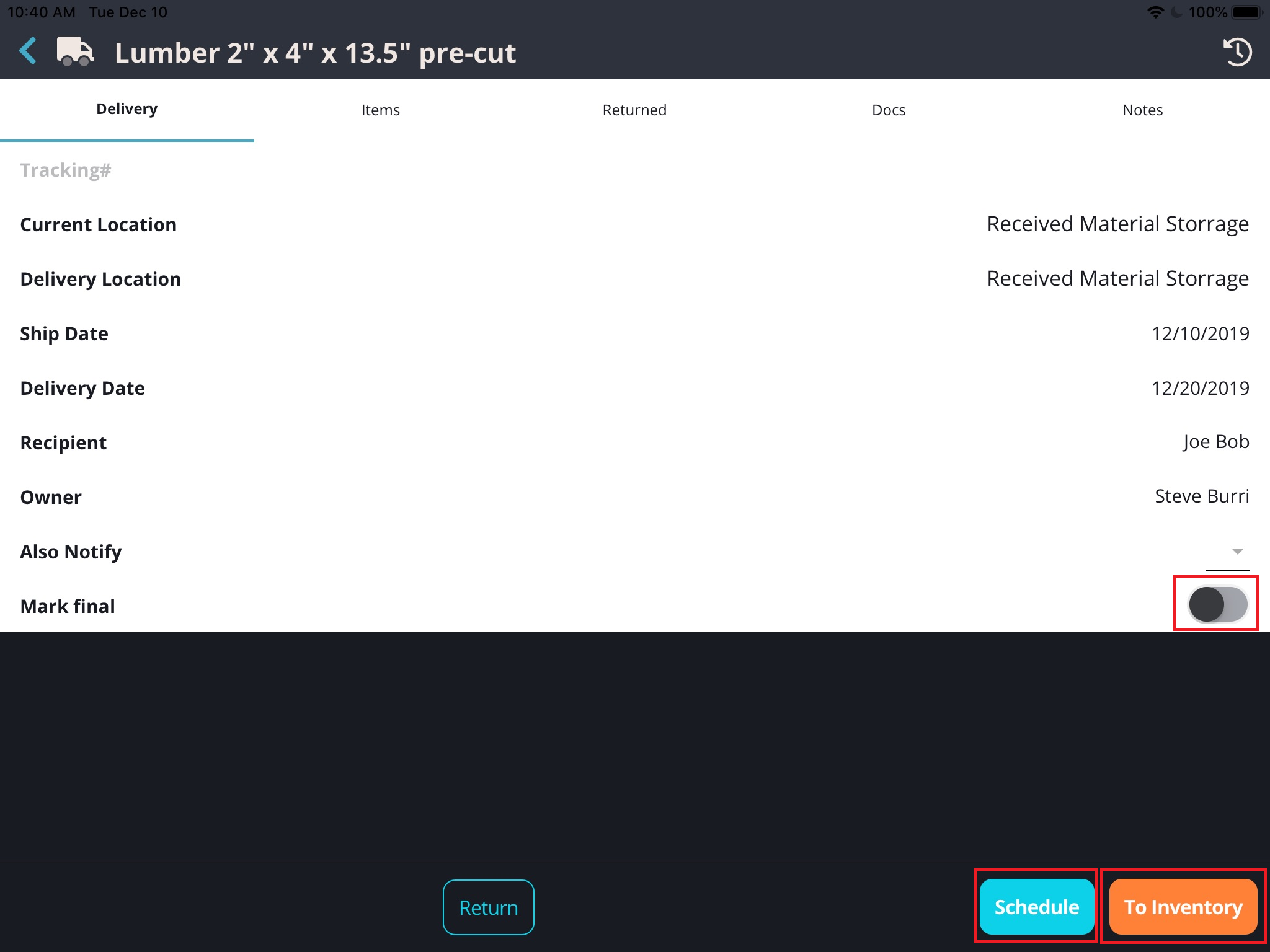
Finally, Re-open (or scan) the original order and receive it into inventory, schedule as a new shipment to a new location as a final delivery or "Mark final" if this is the end of the line for these items.
Comments
0 comments
Please sign in to leave a comment.