Overview
Manufacton supports links from Material and Prefab Production Orders to Submittals in Procore. This utility greatly extends the Procore Submittals capabilities by allowing the specific Manufacton orders, which may be many and extend across large periods of time for large projects, to be shown in context of a single submittal. This capability allows all project team members to know what orders are accounted for, who owns them, where they are in process and when are they due on site ona Submittal by Submittal basis.
Connecting to Procore
The process for connecting Manufacton orders to Procore submittals happens in three (3) steps (the first two (2) only need to be performed once per project and user):
Connect your Manufacton user account to your Procore user account:
- Select your Account Management icon in the lower left of Manufacton
- Select the "Third Party Plugins" tab
- Edit the Procore section
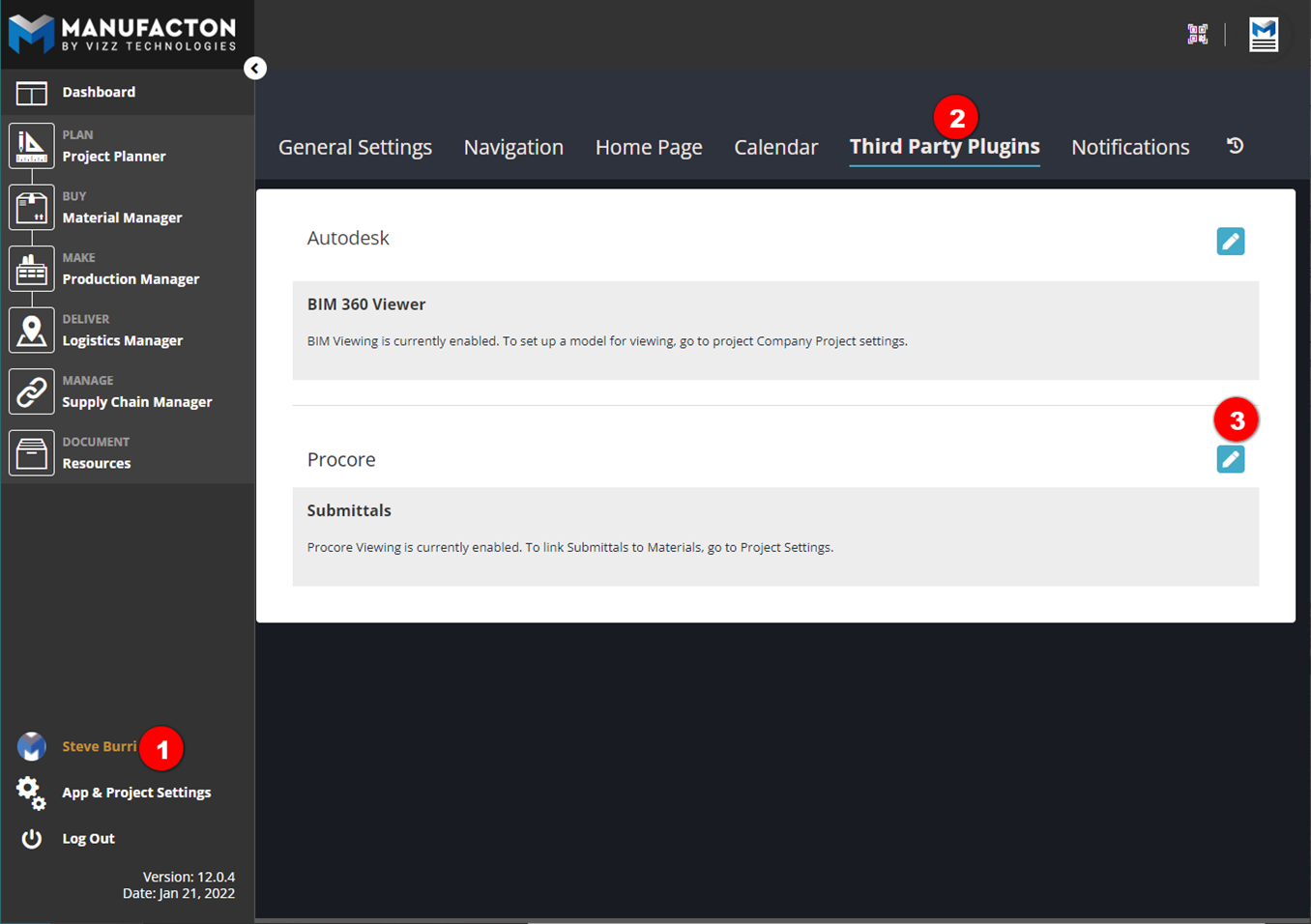
- Select Login and log-into your Procore account
Connect the Manufacton Project to the Procore Project:
- Select "App & Project Setup"
- Select "Projects"and select the Manufacton project to which you want to connect the Procore Project
- Select "Submittal Settings"
- Select "Edit"
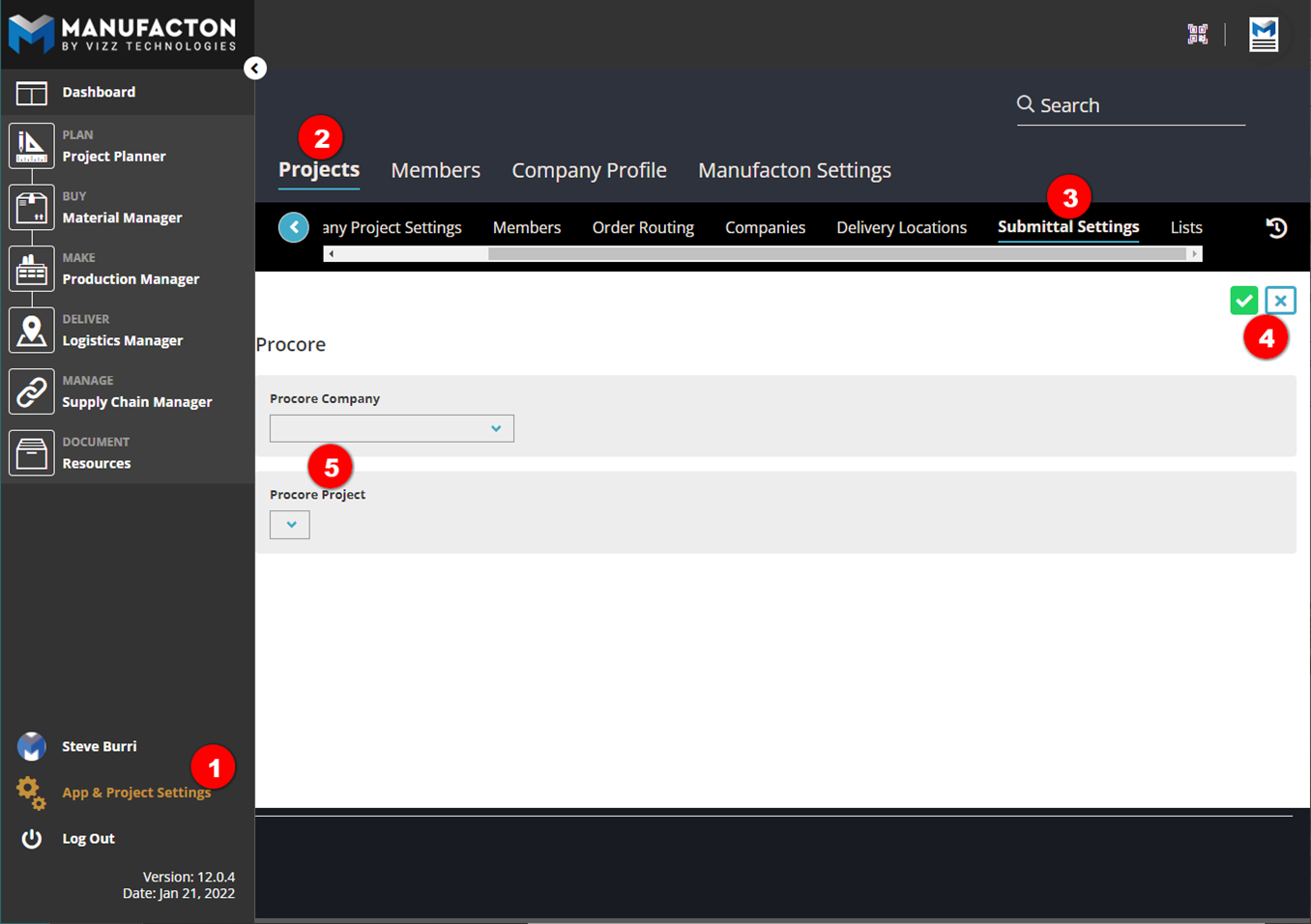
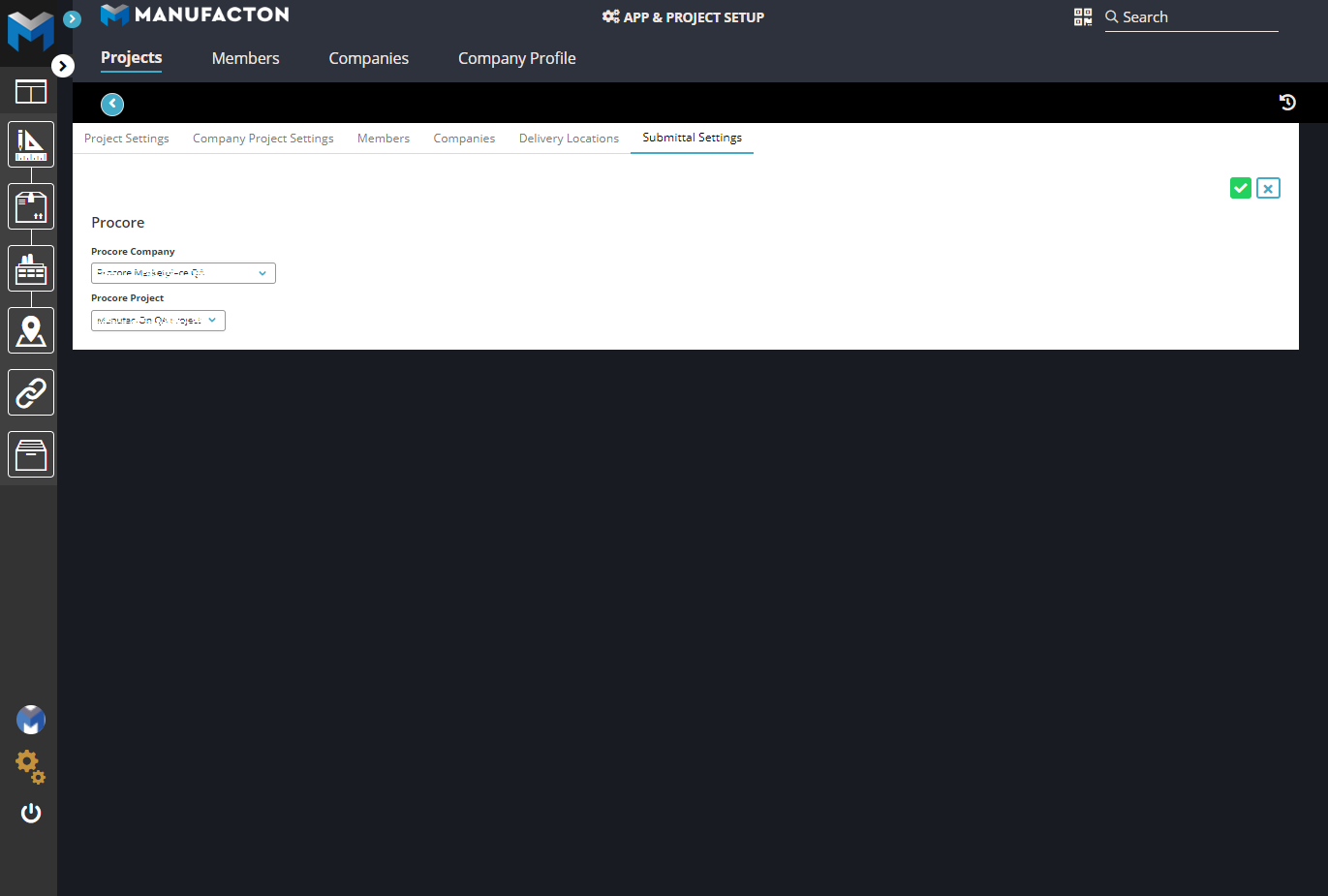
- Select the Procore Company/Project to which the project is to be connected
- WARNING - THIS OPERATION CANNOT BE UNDONE - SELECT CAREFULLY
Connect Material and/or Production Orders to Procore Submittals:
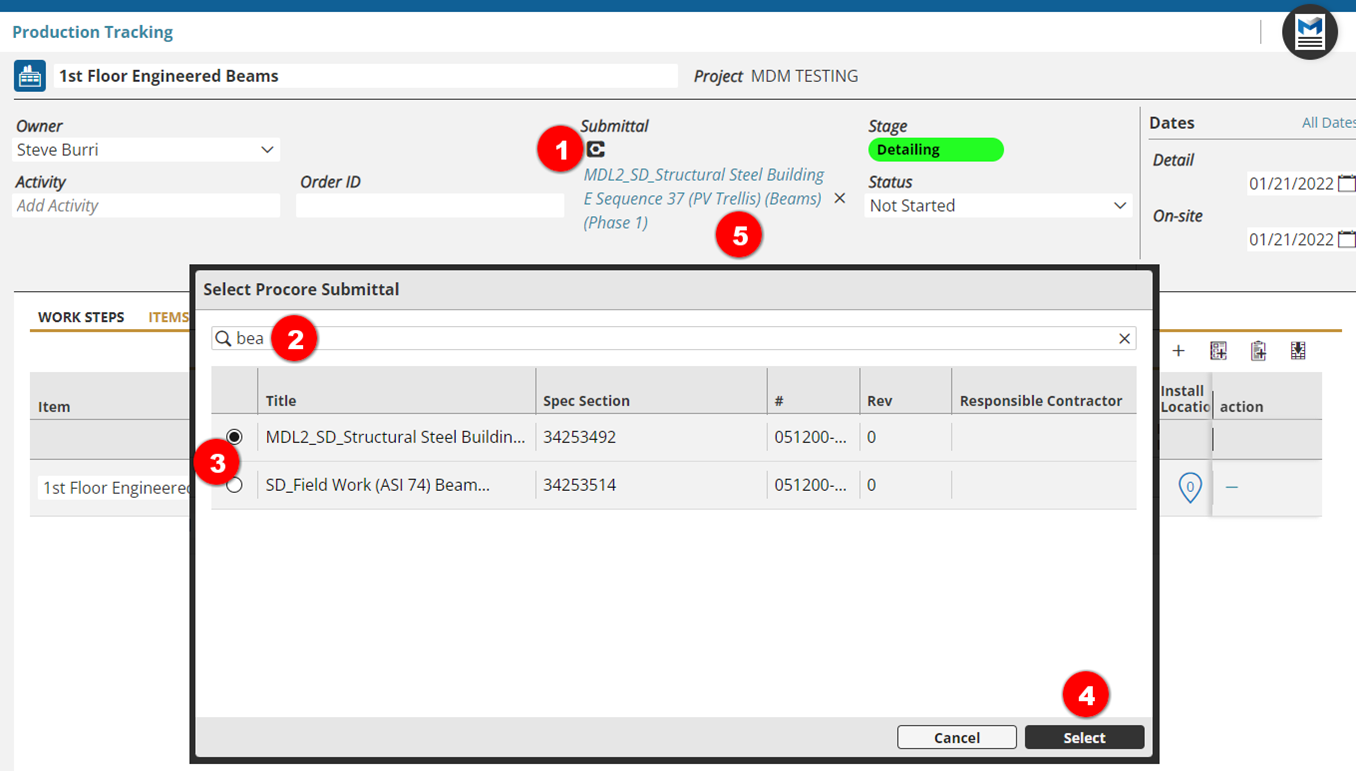
Within Any Material or Production Order, it is now possible to connect a Procore Submittal to which that Order belongs allowing Procore users to see those associated Orders and Manufacton users to see those associated Submittals.
- Select the Submittal symbol
- Search for the desired submittal
- Select the desired submittal
- Press Select
- A live link to that submittal is added to the order
Comments
0 comments
Article is closed for comments.