Overview
Changes are common for construction and occasionally, a production order may have an issue preventing it from progressing through the supply chain. There may be a material back order or maybe the wrong components arrived to the shop. The design team may have issued a change in the build type. Maybe the project itself is on hold.
Whatever the reason, ManufactOn allows for flagging or pausing of orders, communicating with the project team quickly and clearly.
Pausing an Order
To pause an order, see the following steps.
- Select Supply Chain Manager
- Production Orders
- Click the Pause button next to the order you wish to pause
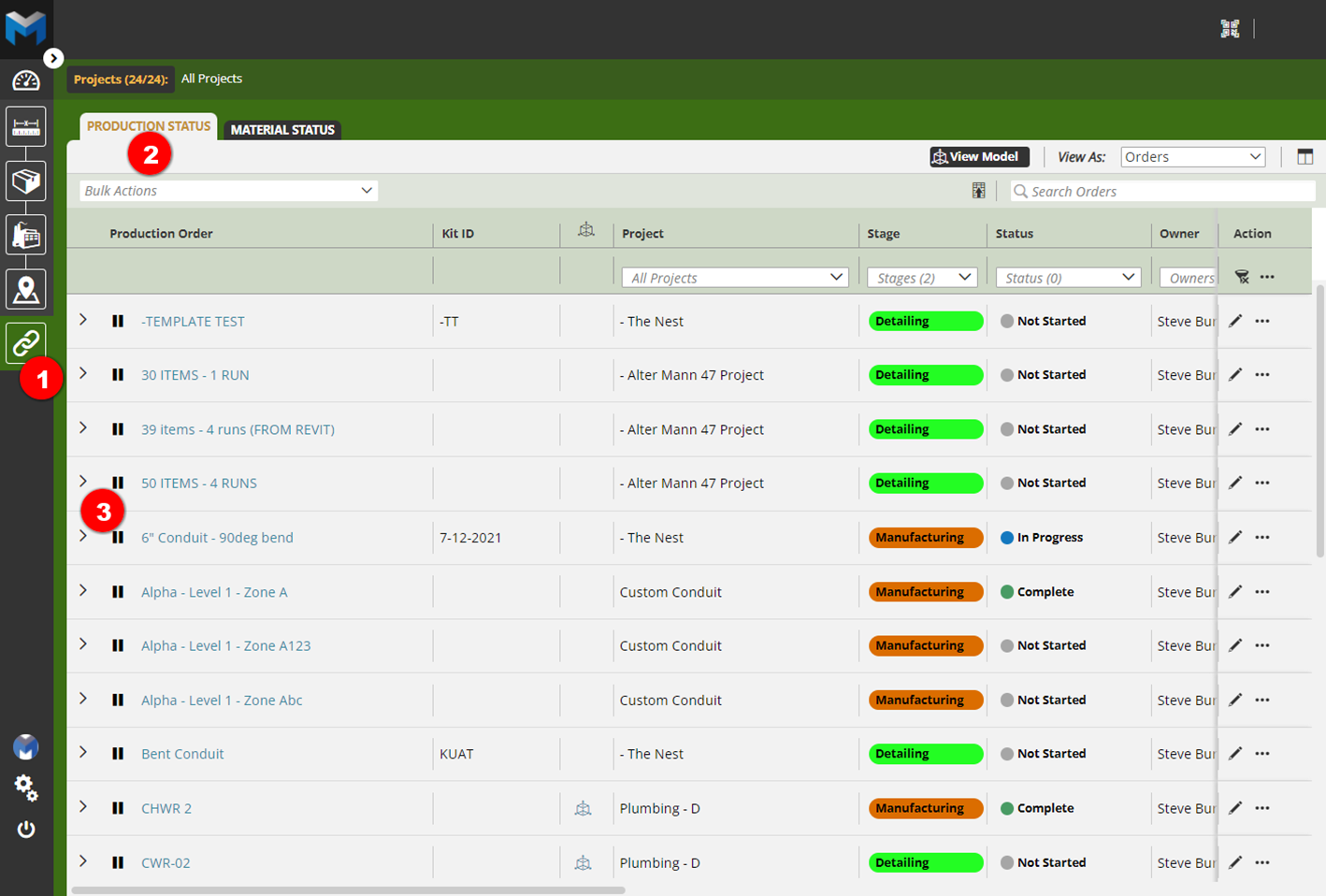
- Fill out the reason under message and select who is to be notified about the pause.
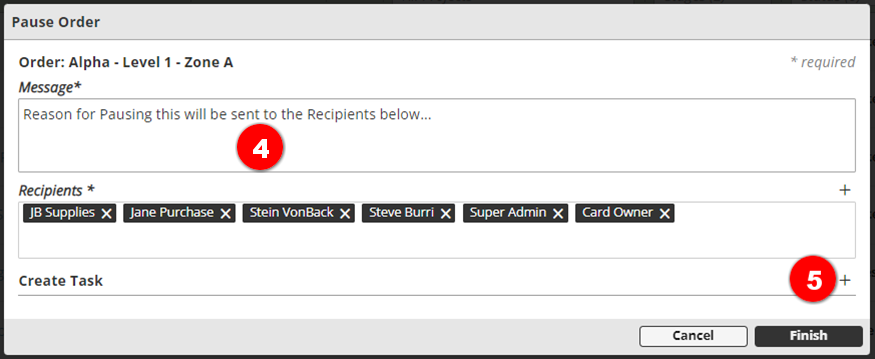
- Click the plus button to add a Task to be completed prior to un-pausing this order
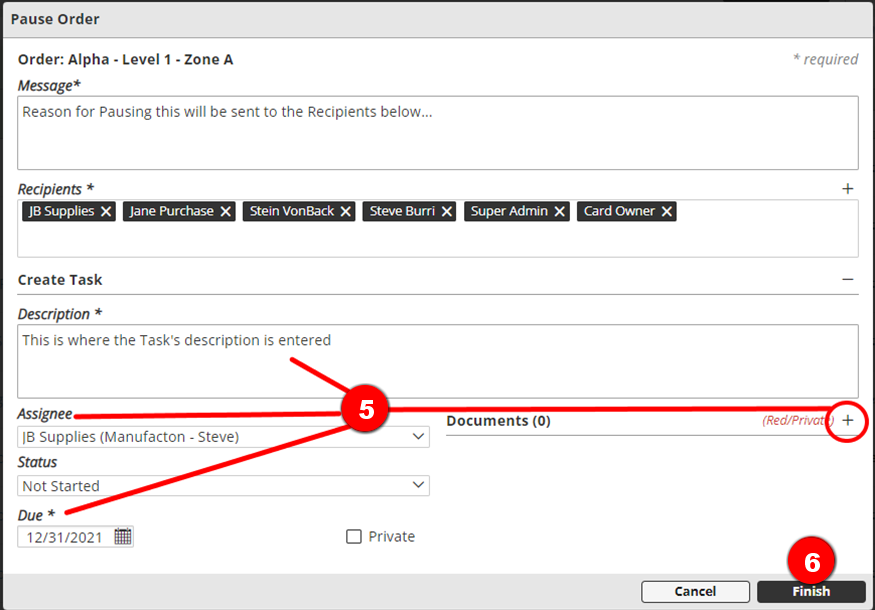
- Enter a description, assignee, Due date and attach any additional documents for the Task.
- Click the Finish button to confirm
- That Order will now show with a “Restart” symbol and a Status of “Paused” and cannot be moved forward in process until the Order is Restarted.

Pausing an Order from within a Production Card
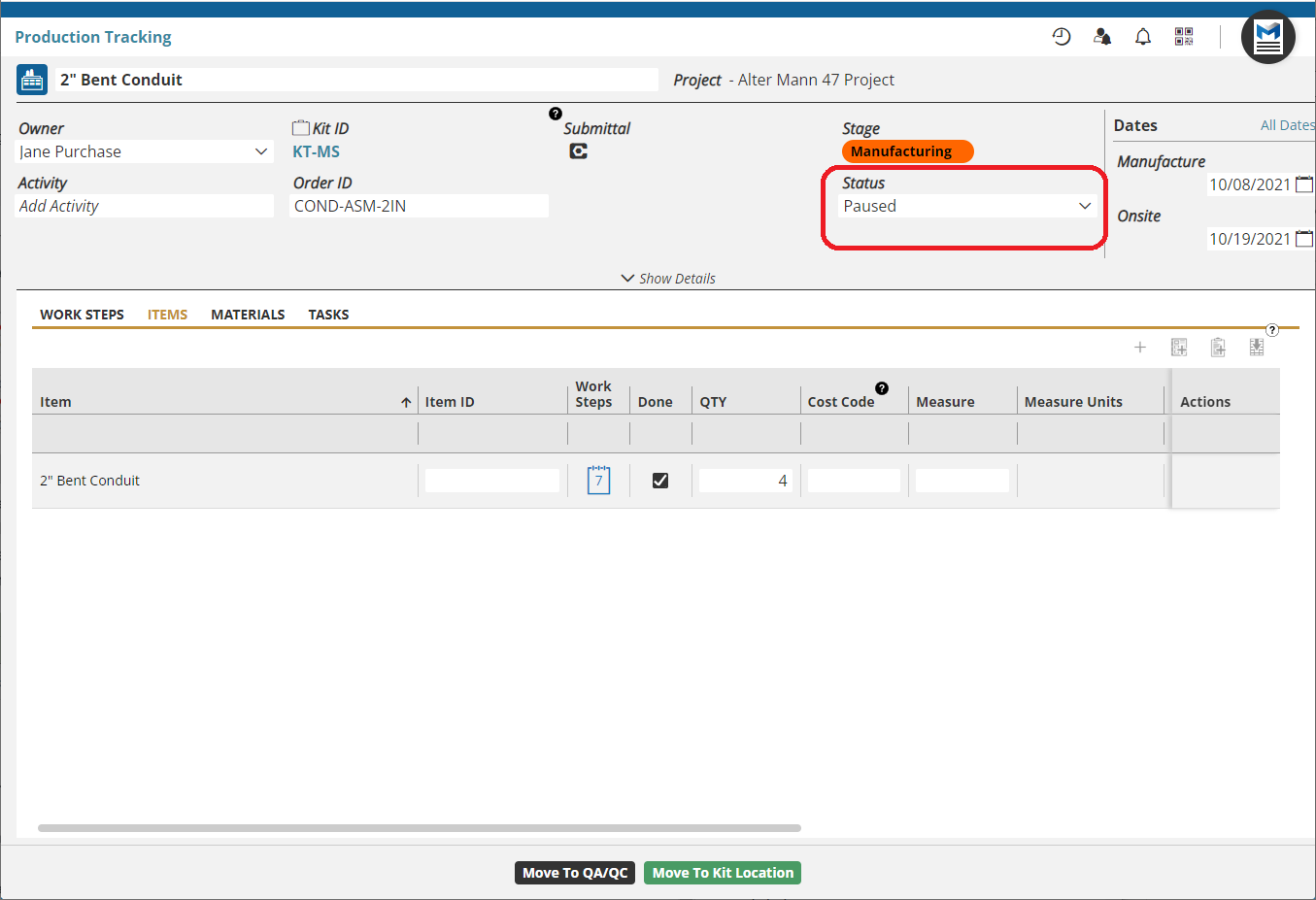
Please note that it is possible to pause a production order from within a card, however, doing so does not trigger the workflow as described in steps 4-8 above, the order will simply show in a Paused status.
Comments
0 comments
Please sign in to leave a comment.