Overview
Users can customize a number of settings for a more personalized ManufactOn experience every time a user logs into the application.
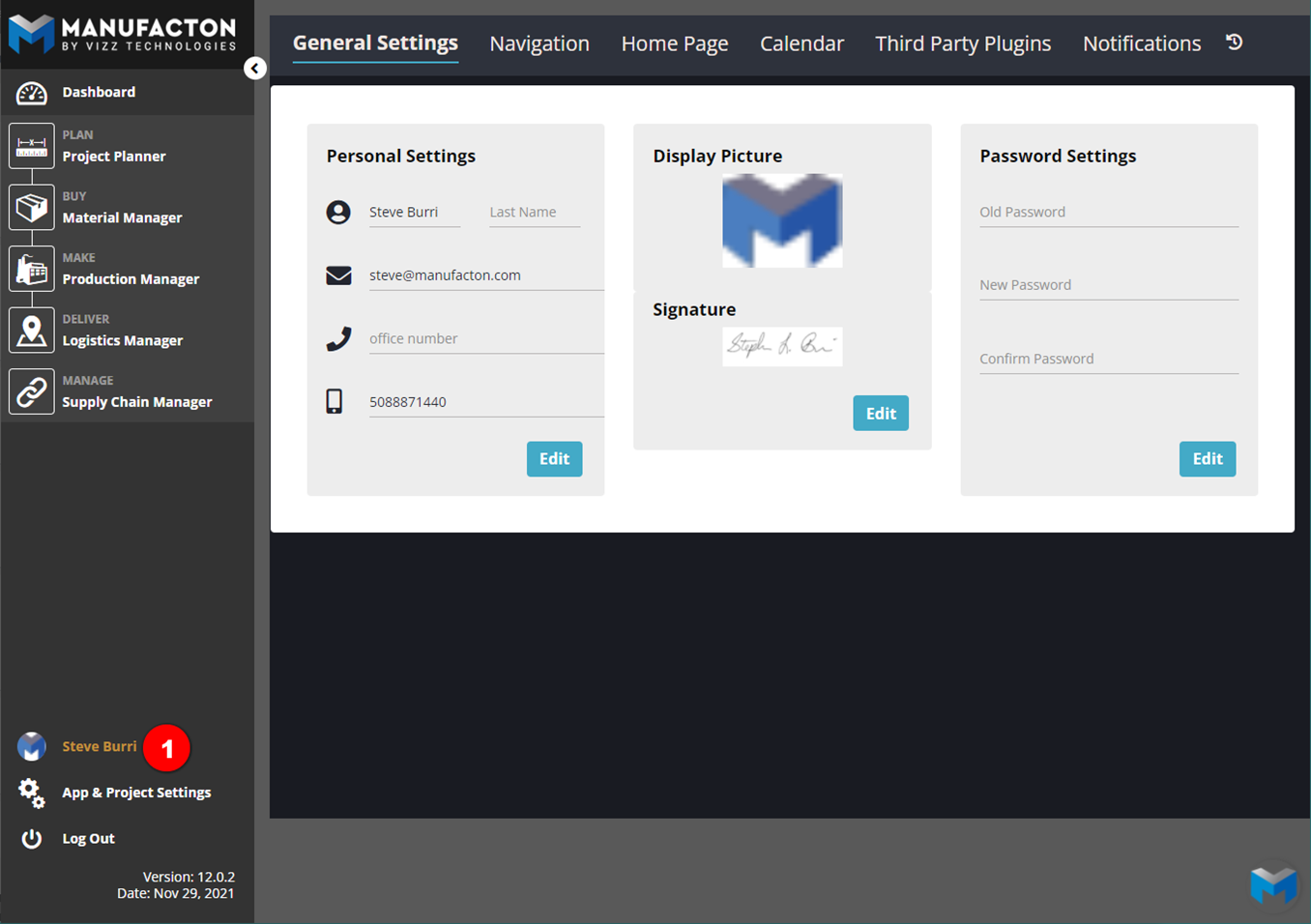
To access the user account settings:
- Click your image or Name near the lower-left corner of the application window.
Details
General Settings
The first tab allows users to:
- Change account password
- Update contact information
- Upload an account photo
- Select to receive email notifications
Navigation
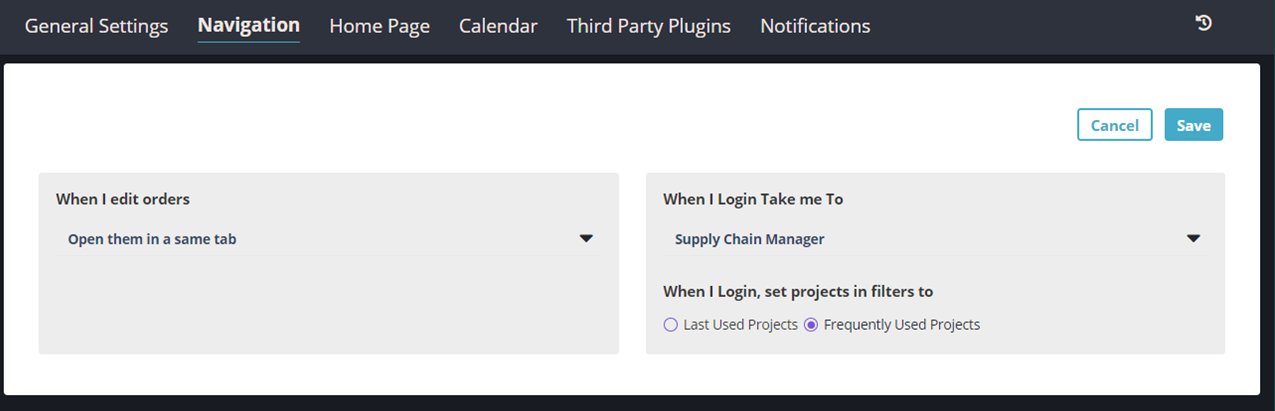
This tab allows users to:
- Select whether orders are opened within a new browser tab or within the same
- Select which screen is opened upon login
- Select whether your "Projects" filter:
- should be reset to show your most frequently used project when you login
- should maintain the filter on the project(s) which were filtered in your previous session
Note: Unless a single project is "Pinned" within the filters:
       o Production and Material filters will reflect the same values.
       o Inventory and Shipping filters will reflect the same values.
      Those filters do no have to be the same.
Home Page & Calendar
These features is obsolete in the current user interface and will be updated in a future release.
Third-Party Plugins
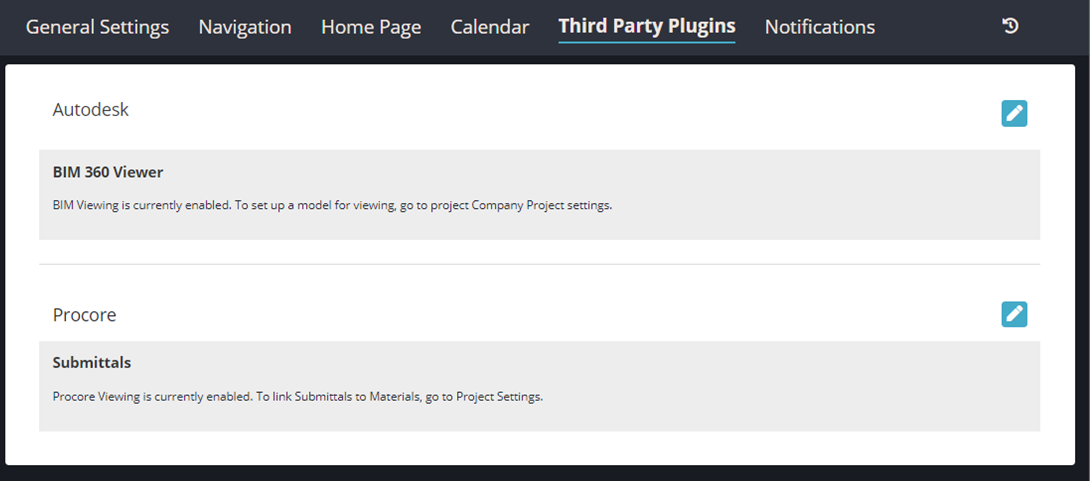
This tab allows users to configure plugins integrated with ManufactOn, such as:
- BIM 360 Docs - link the BIM model to ManufactOn orders and view online
- Procore - link submittals and RFIs to ManufactOn orders
Notifications
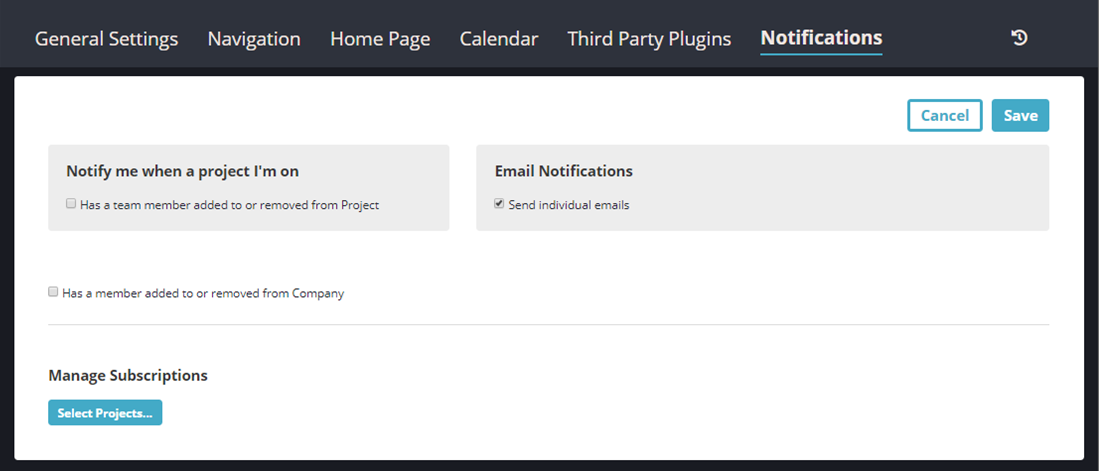
Customize the way users are notified. Users may turn on and off:
- Email notifications
- Notifications for specific projects
- Types of notifications
Comments
0 comments
Please sign in to leave a comment.