Overview
Manufactnn plays nice with other software packages used across the enterprise by exporting to a Microsoft Excel format. Users may export the following from Manufacton:
For information on tracking and exporting Productivity data, please see the KB Article on Capturing and Tracking Productivity in the Shop for additional information regarding exporting productivity tracking information.
Exporting Production, Material, and Shipping Order Information
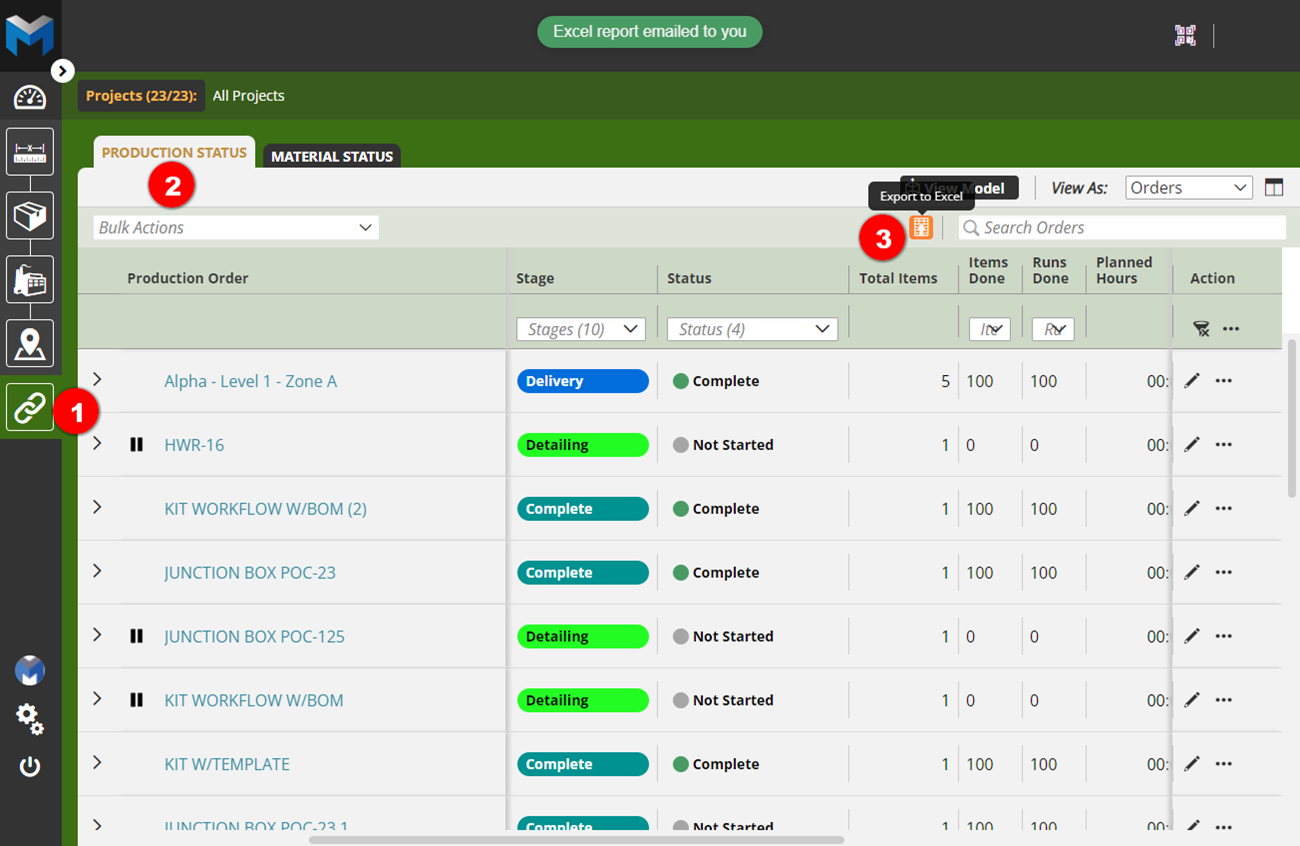
- Select Supply Chain Manager
- Click the Production Status tab
- Click the export icon and select the Excel option - An Excel file will be emailed to your user account email.
Exporting Material Lists
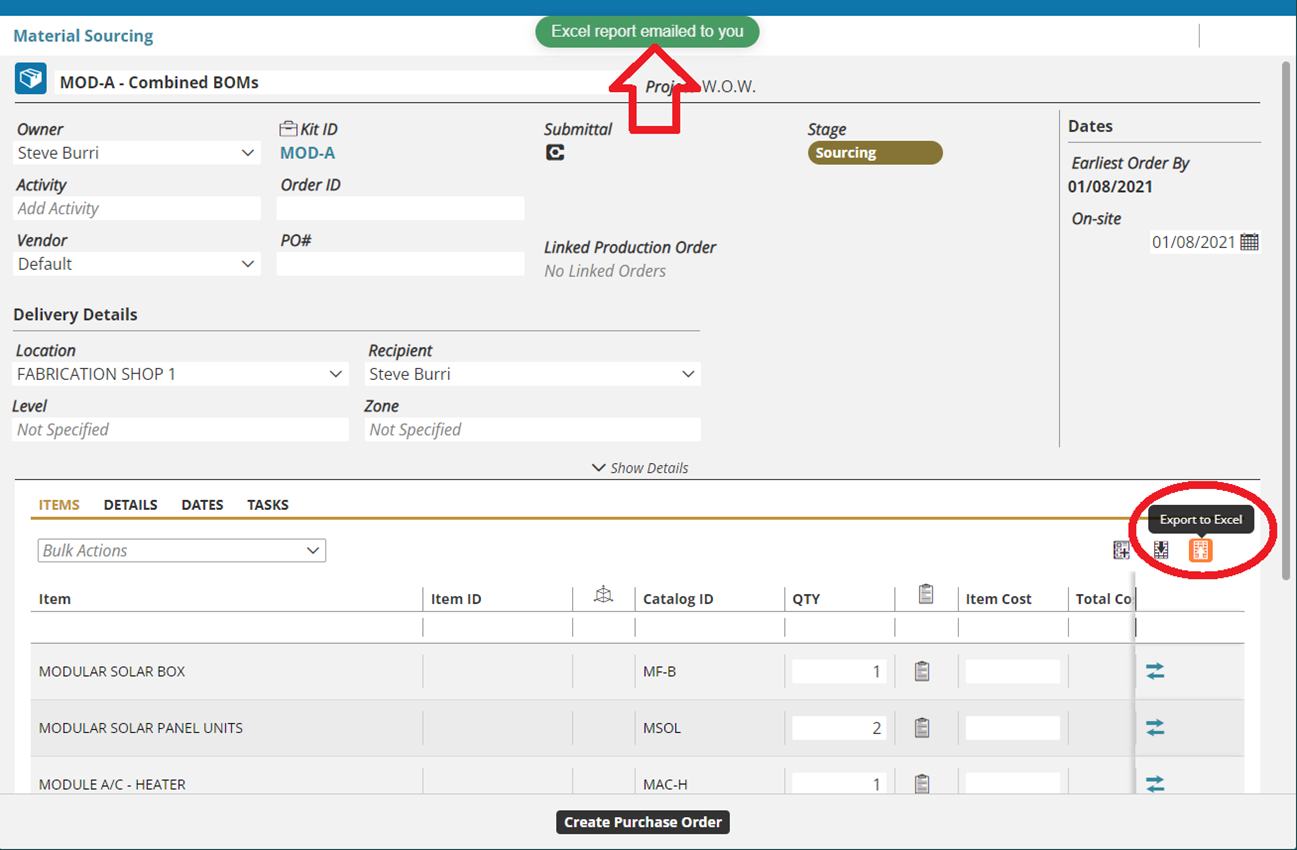
Within the Sourcing or Ordering stages, it is possible to export the list of items to an excel spreadsheet. In a Material Order:
Select the Excel button – this will trigger the export which will be mailed to the logged-in user's email
Exporting Inventory
See the Managing Inventory section of the KB Article for Inventory Manager for more information on exporting Inventory.
Comments
0 comments
Please sign in to leave a comment.