Overview
By default, a new internet browser tab will open each time an order is opened. The following steps indicate how to disable this action.
Managing Tabs
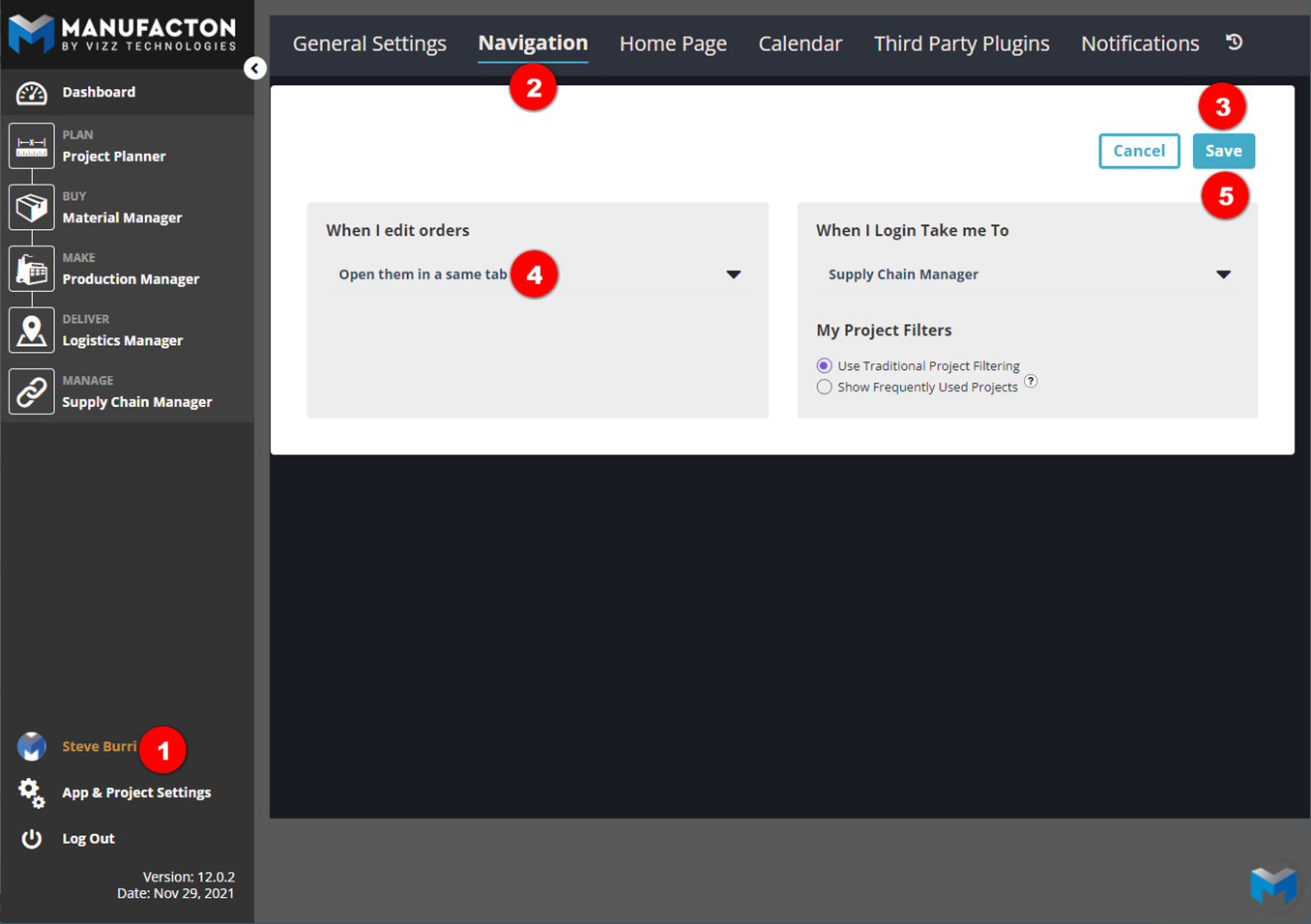
- Click the User Account button.
- Select Navigation.
- Select Edit
- Select "Open Them in the Same Tab" under When I edit orders.
- Click the "Save" button in the upper right (the Edit button with be replaced with a "Cancel" and "Save" button once it is selected)
Comments
0 comments
Please sign in to leave a comment.