Overview
Manufacton supports both company-based and project-based Purchase Order formats and sequencing.
If your company has a standard PO format, that format can be set as a company standard in your Manufacton App & Project Setup Account Settings.
If there is a project-specific PO format that differs from your company standard, a separate PO format can be established on a project-by-project basis in the Project's Company Project Settings.
In either case, when a Material Order is moved into the Ordering/Shipping stage, that company or project format will be applied with the next available number in the sequence.
Details
Company Purchase Order Numbers
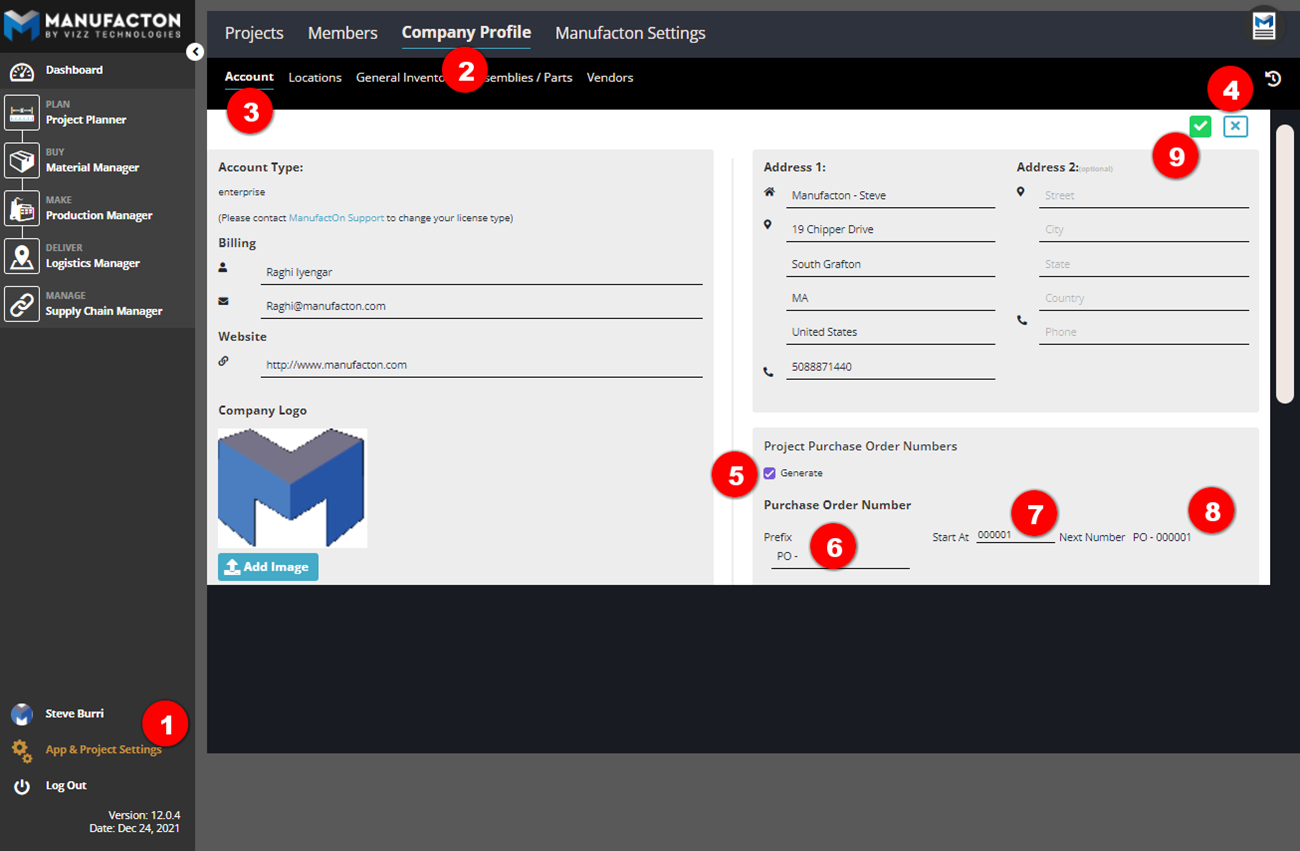
To establish a standard Company Purchase Order format standard:
- Select App & Project Setup
- Company Profile
- Account
- Select the Edit pencil in the upper right
- Select the Generate checkbox to enable the use of company-wide PO Numbers
- Establish the desired "Prefix" format for your company
- Select the "Start At" number - the number which the next Material Order to be moved to the Ordering stage will use
- Note: The "Start At" number can only be edited after the "Prefix" has been edited
- Note the preview of the "Next Number" to be used
- Select the Save checkbox
Project Purchase Order Numbers
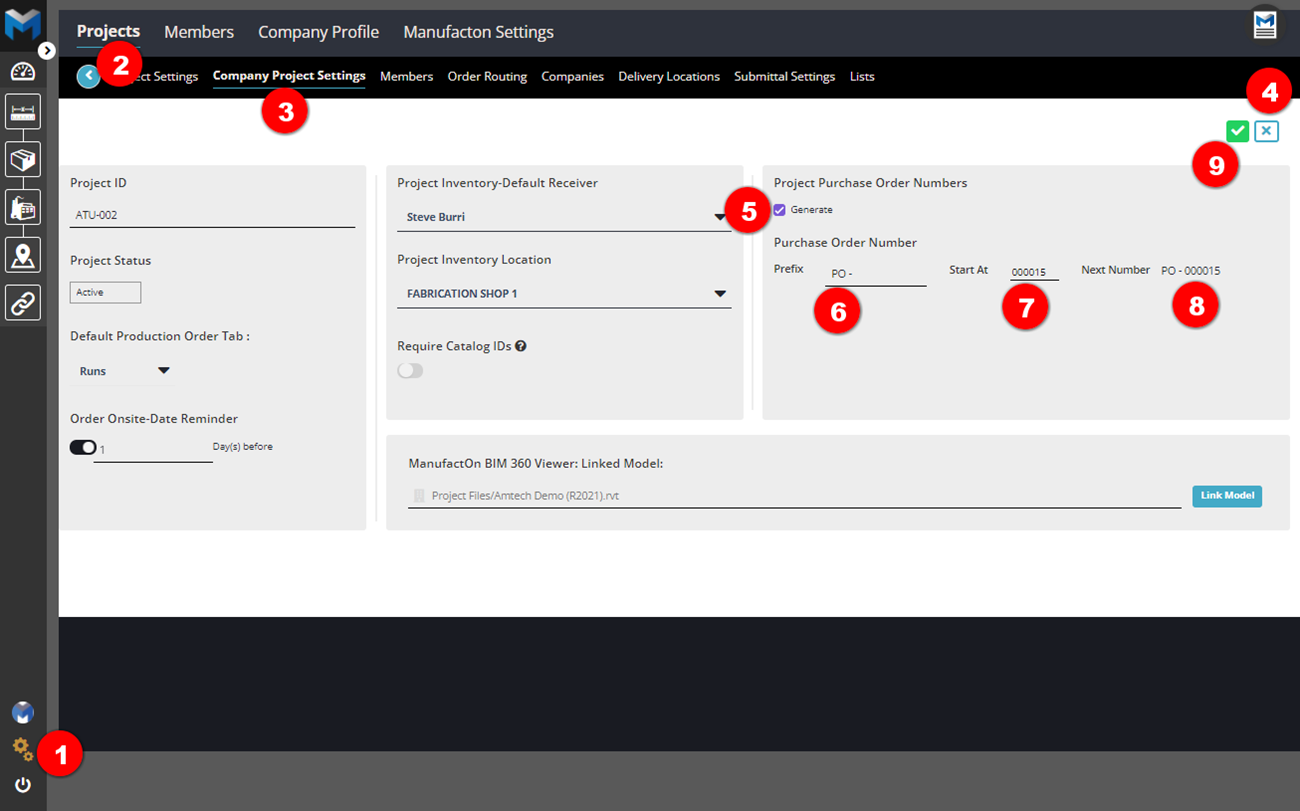
To establish a unique Project Purchase Order format standard:
- Select App & Project Setup
- Projects - Select the project for which the standard is to be applied
- Select Company Project Settings
- Select the Edit pencil in the upper right
- Select the Generate checkbox to enable the use of company-wide PO Numbers
- Establish the desired "Prefix" format for the project
- Select the "Start At" number - the number which the next Material Order in this project to be moved to the Ordering stage will use
- Note: The "Start At" number can only be edited after the "Prefix" has been edited
- Note the preview of the "Next Number" to be used
- Select the Save checkbox
Note:  When a Project Purchase Order Number is applied to a project any established
       Company Purchase Order Number will be ingored in favor of the Project settings.
Applying a Purchase Order Number
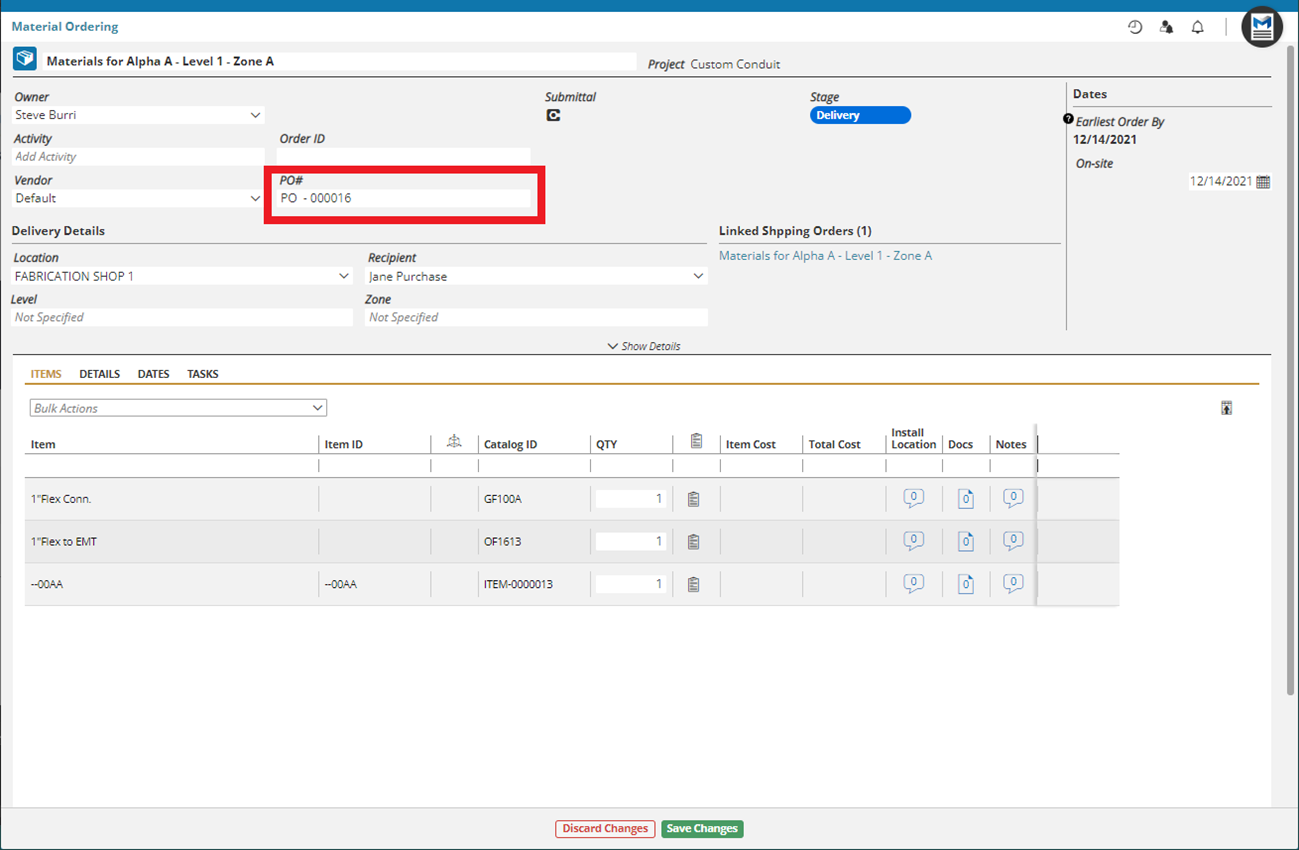
Whether a Company or Project Purchase Order Number is established, once a Material Order is moved through to the Ordering / Shipping stage, the established Purchase Order Number format with the next available number in the sequence will be entered in the "Purchase Order" field.
Comments
0 comments
Please sign in to leave a comment.