Overview
Levels and Zone are a great way to segment prefab and material work and deliveries and Manufacton provides the ability to associate critical supply chain items to Levels and Zone. To allow list views to be sorted by level and zone, a project level standard needs to be set; ideally near the beginning of the project.
Setting Project Levels and Zones
- Select App and Project Setup
- Open the project to which you wish to add level and zone information to.
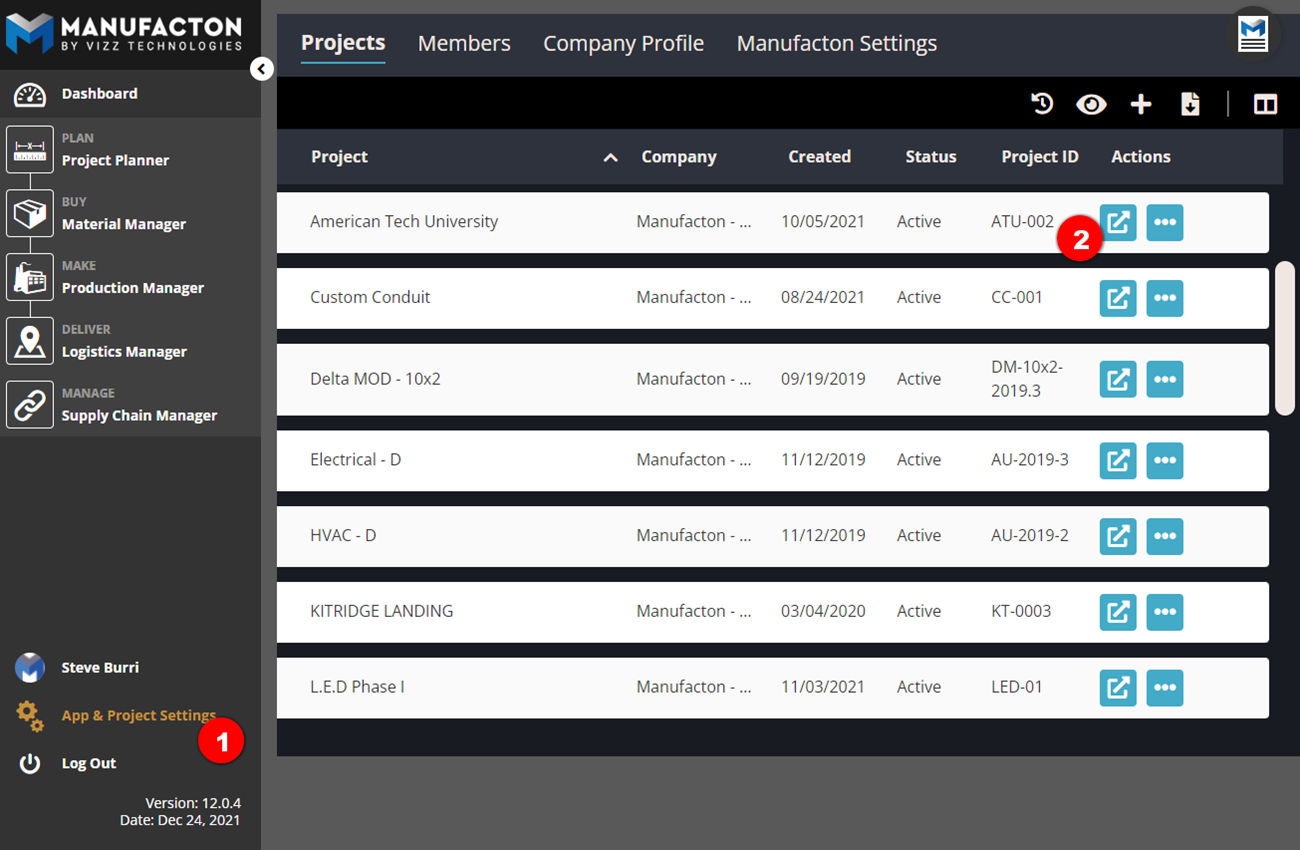
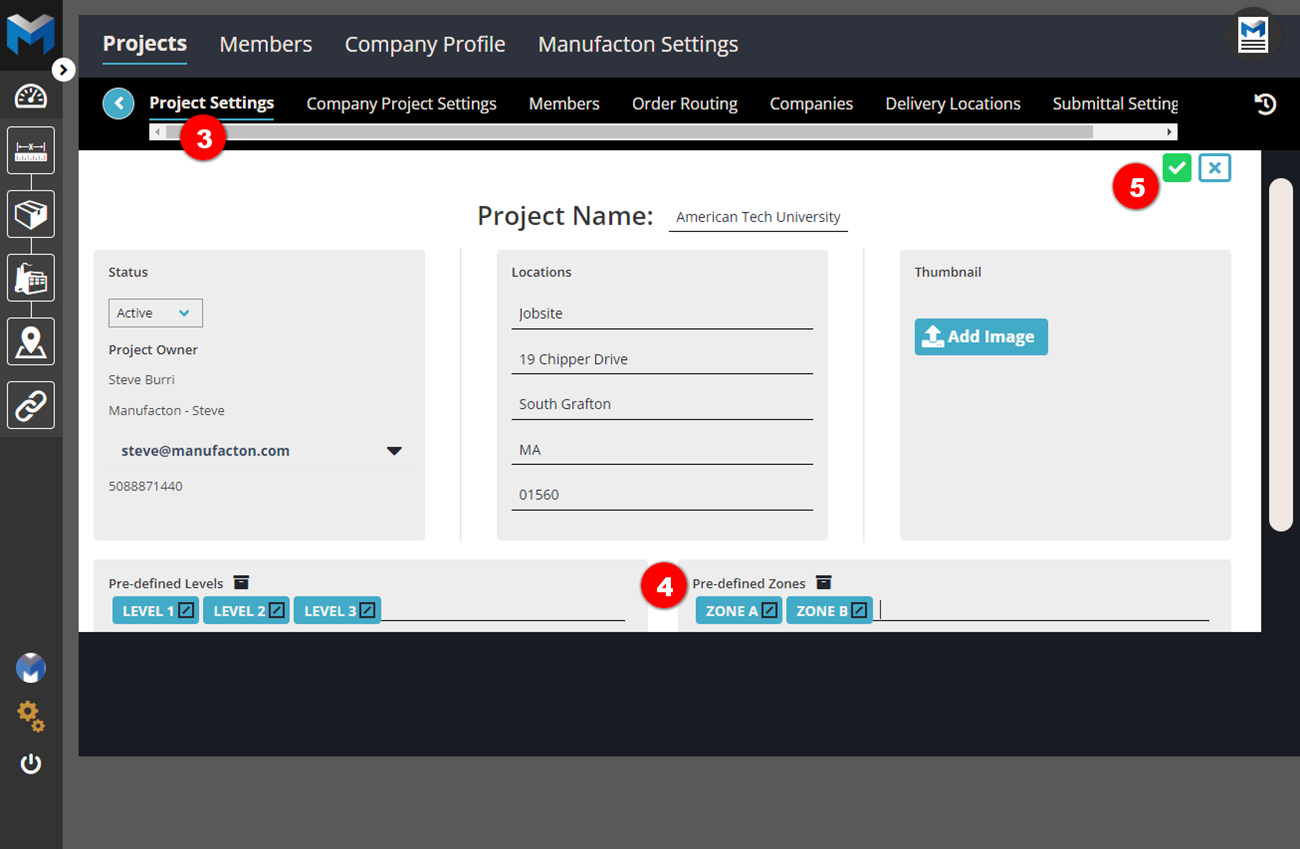
- On the Project Settings sub-tab, select the pencil to edit the project (in the upper right)
- Type project specific Levels and Zones into the text boxes and press enter on your keyboard to save each entry.
- Click the checkmark button at the top right of the screen to save.
Comments
0 comments
Please sign in to leave a comment.